How to Run Personalized Ads on LinkedIn
A friend was sent a LinkedIn ad that opened with his own first name. Here is how the personalization macros work, the difference between targeting, creative personalization and Dynamic Ads, and how to set it up without breaking the ad for everyone who does not get the personalized version.

A friend sent me a LinkedIn ad that opened with his own first name. Here is how that works, why I think it matters for B2B advertisers, and the distinction most people get wrong: targeting, creative personalization and Dynamic Ads are three different things.
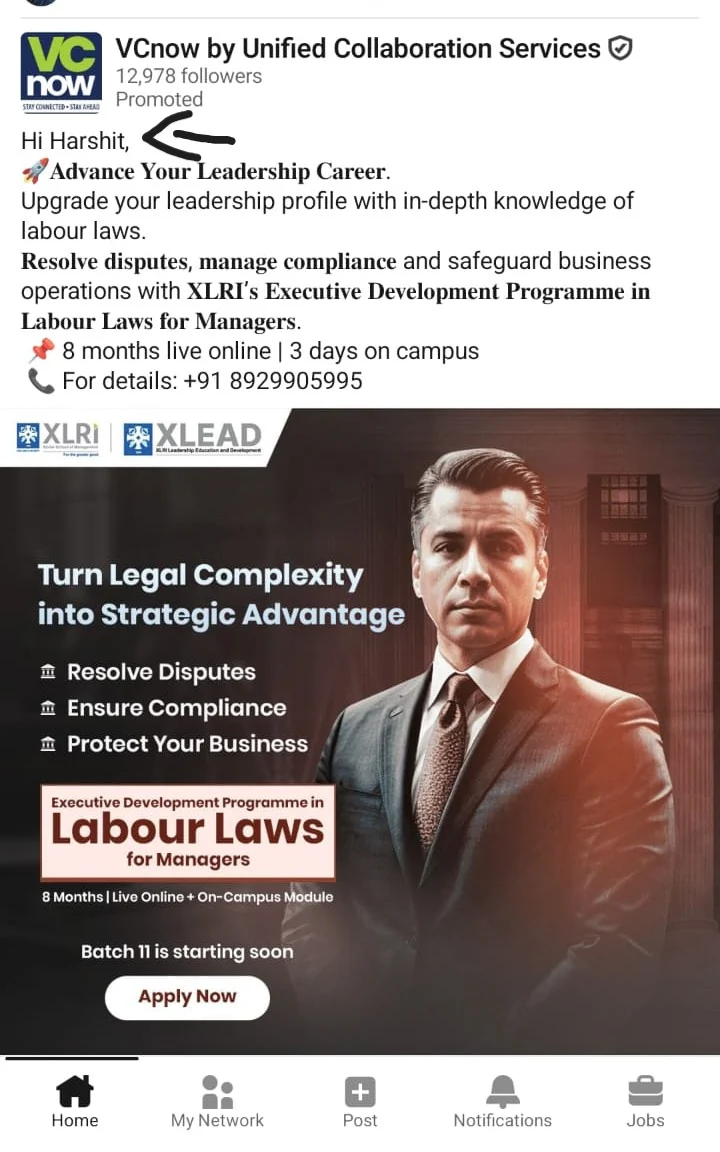
How did LinkedIn know his name?
It literally starts with "Hi Harshit…". That caught my attention, because LinkedIn ads mostly look like posts. You are scrolling the feed and then an ad appears to be speaking to one person.
So I went down the rabbit hole.
LinkedIn supports personalization macros across several ad formats. For Sponsored Content, LinkedIn says advertisers can use macros in single image and video ads, and it replaces each macro with the matching information from an eligible member's profile when the ad is shown (LinkedIn Help).
The simple version: the advertiser writes one ad template. The macro is the placeholder. LinkedIn does the substitution when the ad is served.
First, three things people mix up
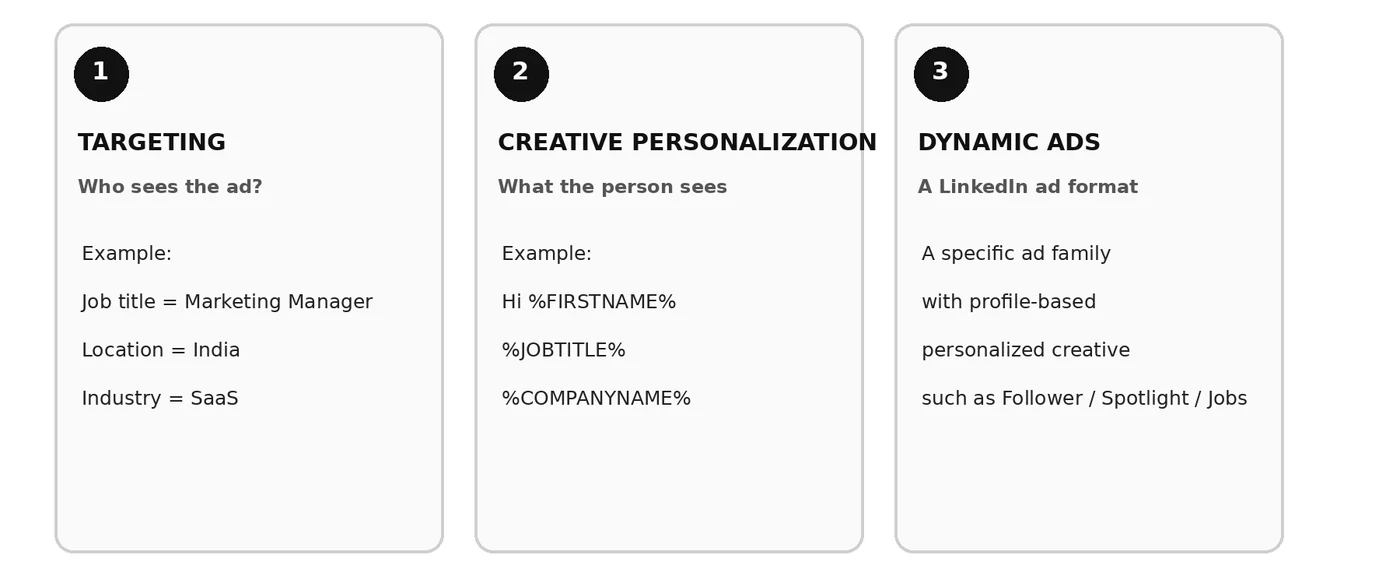
1. Targeting
Targeting answers one question: who should see the ad? You might pick people by job title, location, company, industry or seniority. Marketing managers, in India, at SaaS companies. That is audience targeting, and it says nothing about what the ad looks like.
2. Creative personalization
Creative personalization answers a different question: what does the person actually see? This is the part that explains the screenshot. You write something like "Hi, %FIRSTNAME%" or "Here is something built for %JOBTITLE%s", and LinkedIn renders it differently for different eligible members. The current Sponsored Content macros are %FIRSTNAME%, %LASTNAME%, %COMPANYNAME%, %JOBTITLE% and %INDUSTRY% (LinkedIn Help).
3. Dynamic Ads
Dynamic Ads are an actual LinkedIn ad format, which is where the naming gets confusing. They are personalized ads served in the right rail, and the formats are Spotlight, Follower and Jobs ads. They can use profile information such as a member's photo, name, company or job title (LinkedIn Help).
So "personalized ad" should not automatically mean "Dynamic Ad". The screenshot is useful precisely because it shows the other thing: a feed-style Sponsored Content ad with personalized text.
Targeting decides who gets into the room. Creative personalization changes the message that person sees. Dynamic Ads are a specific format that also uses personalization.
Why personalization is getting more important
Personalization in advertising is not new. It matters more now because feeds are crowded and people have got very good at ignoring ads.
LinkedIn is interesting here because its ads often look like normal posts. You are scrolling past an opinion, a company update, a carousel, a video, and then: "Hi Harshit…". Your brain notices. It is a small thing, but it moves the experience from "this is another ad" to "wait, this is talking to me".
For B2B that is worth something. Instead of "grow your business with our solution", you can write a message that fits the person's role, company or industry. That is the part I find interesting. Not the novelty of a name in an ad. The relevance.
Is it a little creepy? A bit. Would I test it? Yes.
How the personalization works
The advertiser does not build a separate ad for every person. They build a template:
Hi, %FIRSTNAME%

Advance your leadership career.
When LinkedIn serves that ad to an eligible member, it can swap %FIRSTNAME% for the first name on that member's profile. LinkedIn says each member only ever sees their own information, that profile information used this way is not shown to other members, and that members can choose whether their profile information is used for ad personalization at all (LinkedIn Help).
What Sponsored Content can personalize
| Macro | Profile information | Example |
|---|---|---|
| %FIRSTNAME% | First name | Hi, Jane |
| %LASTNAME% | Last name | Hi, Jane Doe |
| %COMPANYNAME% | Current employer | Hi, Jane at Acme |
| %JOBTITLE% | Standardized job title | Resources for a marketing manager |
| %INDUSTRY% | Standardized industry | Resources for people in technology |
Those five are what LinkedIn currently documents for single image and video Sponsored Content. Worth knowing: LinkedIn's own note against %FIRSTNAME% says you may not see the option yet, because it is currently only available for select ad accounts (LinkedIn Help).
How to set it up
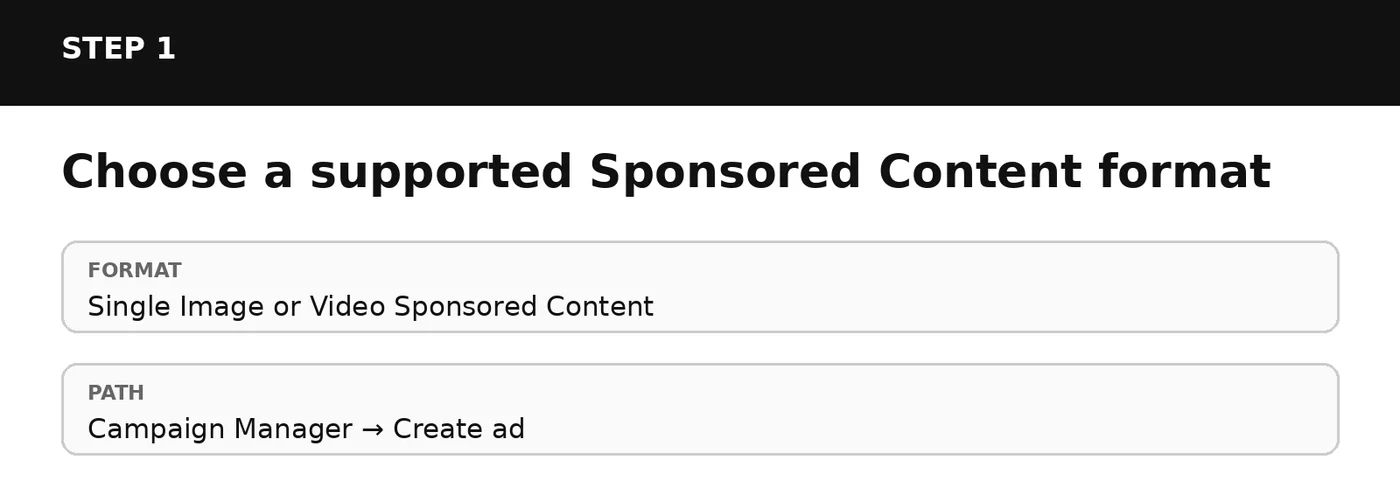
Start with a supported format. LinkedIn documents personalization for single image and video Sponsored Content (LinkedIn Help).
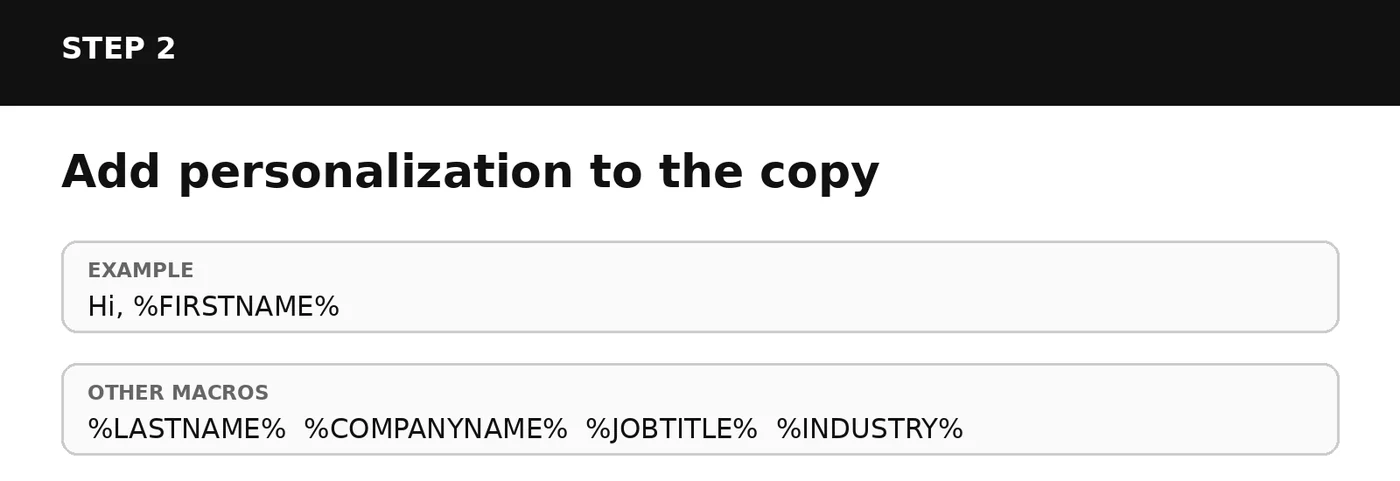
While you build the ad, use LinkedIn's personalization controls and drop the macro into your copy. Macros have to be in capital letters: %firstname% will not work, %FIRSTNAME% will (LinkedIn Help).
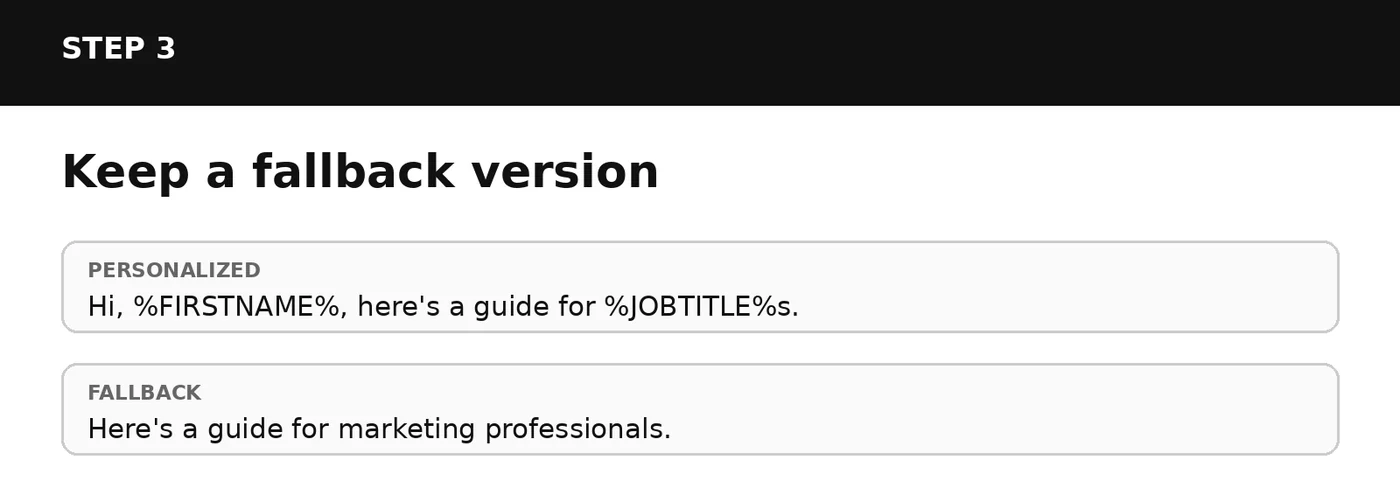
This one matters. Not every member gets the personalized version, and when personalization is not available LinkedIn shows the non-personalized text instead (LinkedIn Help). Write a generic line that stands on its own, because plenty of people will only ever see that one.
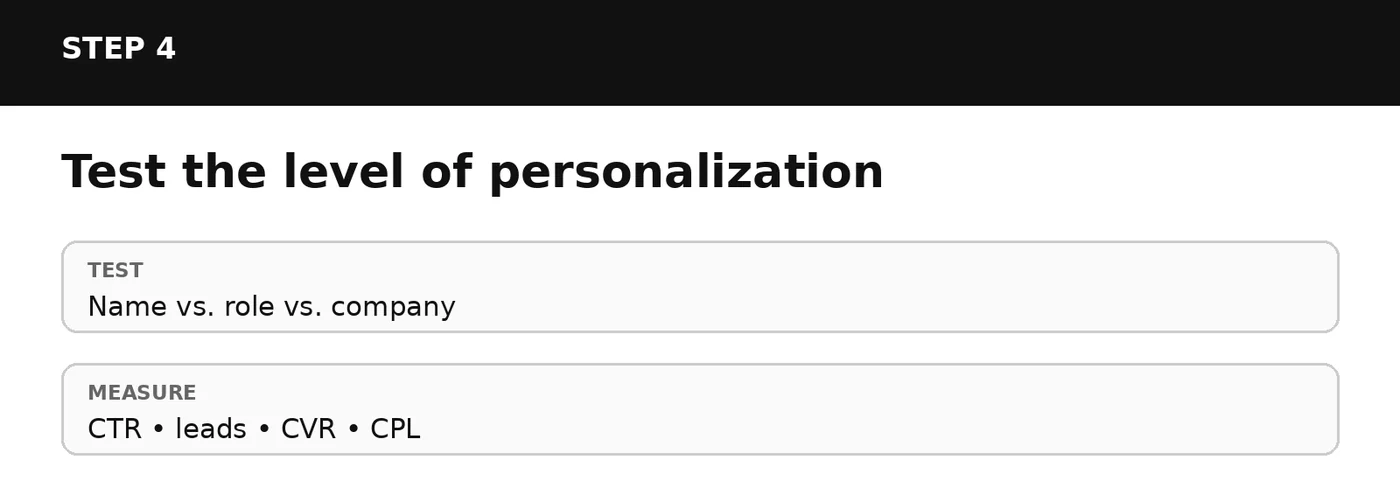
Then test it. Run name-only personalization against role or company personalization, and judge it on the numbers that matter to the campaign, not on how clever the ad feels.
Personalization is not better targeting
This is probably the most useful distinction in the whole article. If you target marketing managers in India, that is not personalization. If the ad then says "Hi %FIRSTNAME%, here is something built for %JOBTITLE%s", that is creative personalization. Use both together by all means, but they solve different problems.
When did this launch?
Here I would be careful with the wording. Dynamic Ads are not new: LinkedIn announced on 10 September 2018 that they were becoming available inside Campaign Manager for self-service advertisers, describing them as ads that customize their creative using information from member profiles (LinkedIn, 10 September 2018).
That date is the launch of Dynamic Ads in Campaign Manager. It is not evidence that the Sponsored Content first-name personalization in the screenshot launched in 2018. For that one, LinkedIn's current help pages explain how it works and note that it is only on select ad accounts so far, but they give no clean launch date. I would not glue the two together just to produce a tidy anniversary.
Is this actually useful?
For B2B, I think so. B2B ads often have a relevance problem: the advertiser knows exactly who they want, and the ad still talks to a category instead of a person. Personalization adds a layer on top of the audience, from role to company to message.
You do not have to use all of it. You probably should not. "Hi Jane" gets noticed. "Hi Jane, here is something for marketing managers" is more useful. "Hi Jane at Acme…" gets very specific very fast. The goal is not to prove you know things about someone. The goal is to make the message more useful to them.
Is it creepy?
A little. That is part of why it works. LinkedIn is a professional network and it already holds your professional identity. When that information turns up inside what looks like an ordinary post, it creates a small interruption, and getting someone to stop for one extra second is not nothing.
What I would actually do with this
Generic advertising is easy to ignore, and that is the real reason personalization keeps coming back. LinkedIn's version is interesting because it puts familiar feed-style ads together with information that feels personal to whoever is reading.
That does not make the ad better on its own. It gives you one more thing to test: does a more relevant message make someone stop, read and act? Write the fallback line first, test name against role, and let the cost per lead tell you whether it was worth it.
Sources
- Personalization options for your LinkedIn ads, LinkedIn Help
- Macros available to personalize Sponsored Content ads, LinkedIn Help
- Dynamic ads, LinkedIn Help
- Macros available to personalize Dynamic ads, LinkedIn Help
- Introducing LinkedIn Dynamic Ads in Campaign Manager, LinkedIn, 10 September 2018
Ad platforms change. Every LinkedIn detail above was checked against LinkedIn's own documentation in September 2026, and the screenshot is a real ad a friend received.
The rest of this is yours, free.
Enter your email to keep reading — and unlock every Massive Impact resource.
No spam. One email unlocks every Massive Impact resource.