ChatGPT Business Listing: How to Add Your Business to ChatGPT
OpenAI just opened Business Hub. Here's how to claim your business, who can do it right now, and what I'd do this week.
A publisher searched their own name in ChatGPT's new Business Hub.
No matching business. Just a button to create a profile.
Once their profile was set up, the dashboard showed ChatGPT had mentioned their website 353,356 times between 14 October and 10 November.
Read that last number again.
Only about 0.75% of those mentions turned into a click. SEO has always been about earning the click. Here, the answer itself is the product.
Is ChatGPT replacing Google for SEO?
My take: slowly, yes.
Not this week. Not all at once. But Google is slowly getting less necessary, and ChatGPT just started that process. People ask, they get an answer, and the results page never opens. A business profile inside ChatGPT is OpenAI building its own version of Google Business Profile. That's where SEO takes a big hit over time.
Google isn't going anywhere tomorrow. The first question is just no longer asked there.
What is the ChatGPT business listing?
On 10 November 2026, OpenAI opened Businesses in ChatGPT as a beta. You claim a profile (or create one), verify it's yours, and you get a dashboard called Business Hub. It shows two numbers: mentions and website clicks.
Claiming is free at launch. You don't need an ads account to do it.
One catch. Claiming doesn't guarantee a higher spot. ChatGPT still makes its own recommendations. This gets you into the system. It doesn't put you at the top of it.
How to submit your website to ChatGPT Business Hub
This is the website route, and it's the one that fits online stores, service businesses and publishers.
The path: Search your brand → Create profile → Through a website → Verify domain → Category → Draft → ID check → Live
1. Search for your business
Sign in to ChatGPT, open Business Hub and search your name. If it's there, claim it. If not, create a profile.
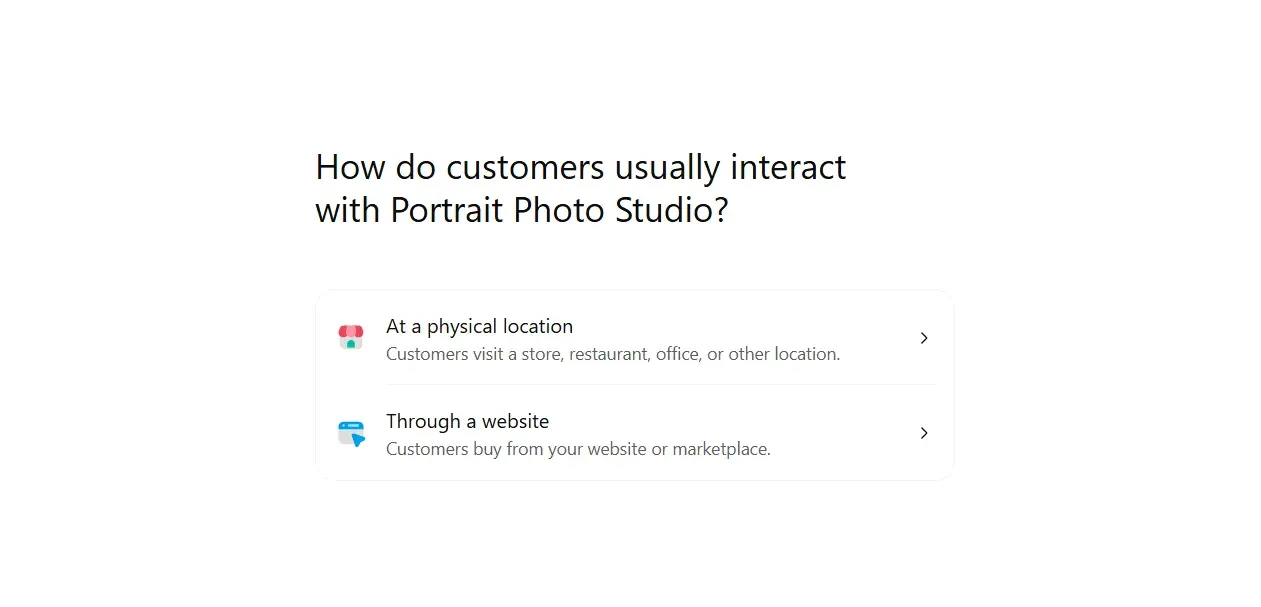
2. Pick "Through a website"
You'll be asked how customers deal with you. Online-only? Choose the website option. Don't pick physical location just to skip ahead. In one test, that path ended on a waitlist.
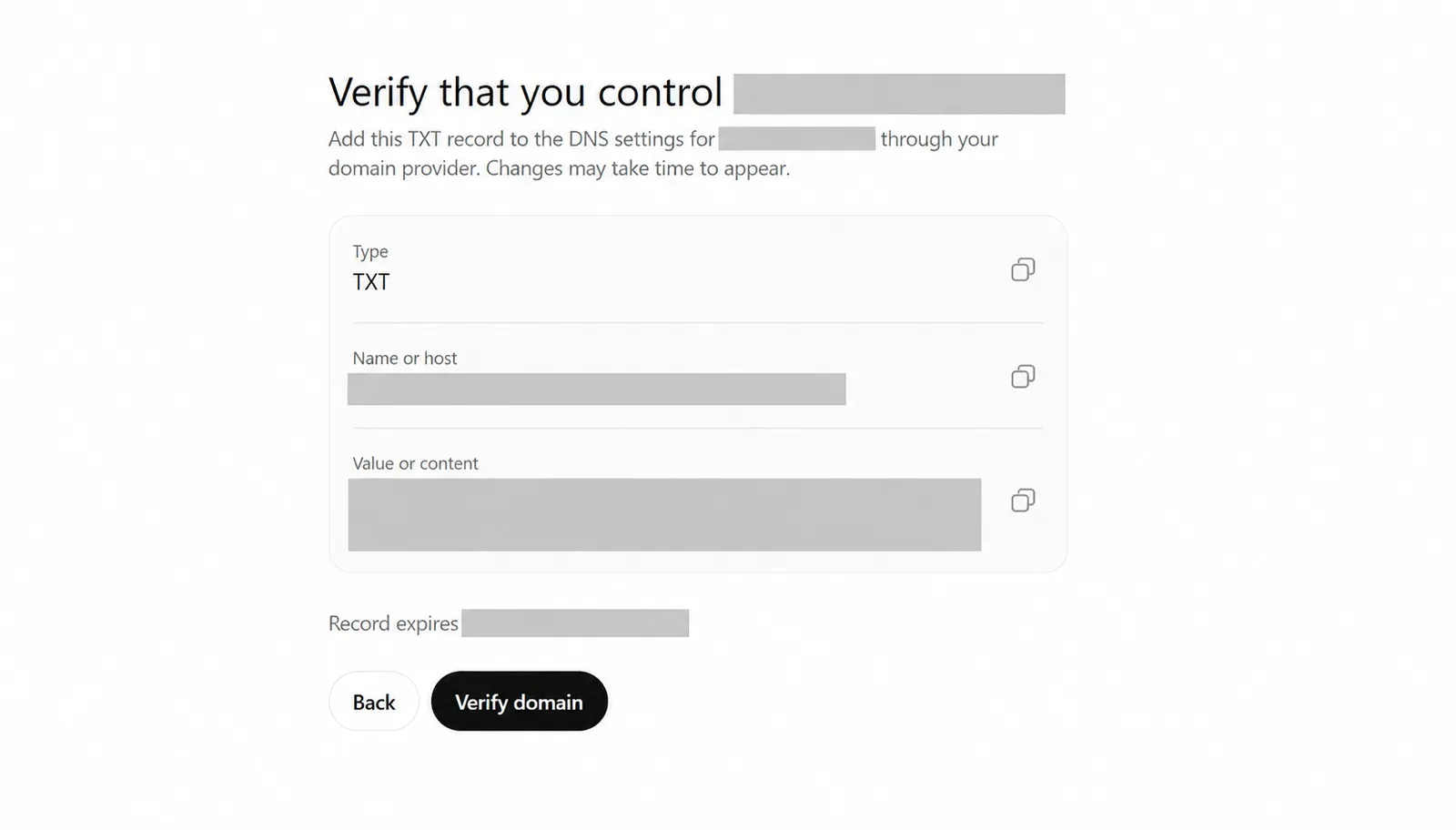
3. Verify your domain
ChatGPT gives you a DNS TXT record (a type, a name and a value). Add it in your domain settings, then hit verify. If someone else manages your domain, send them this step first. It's the one that stalls people.
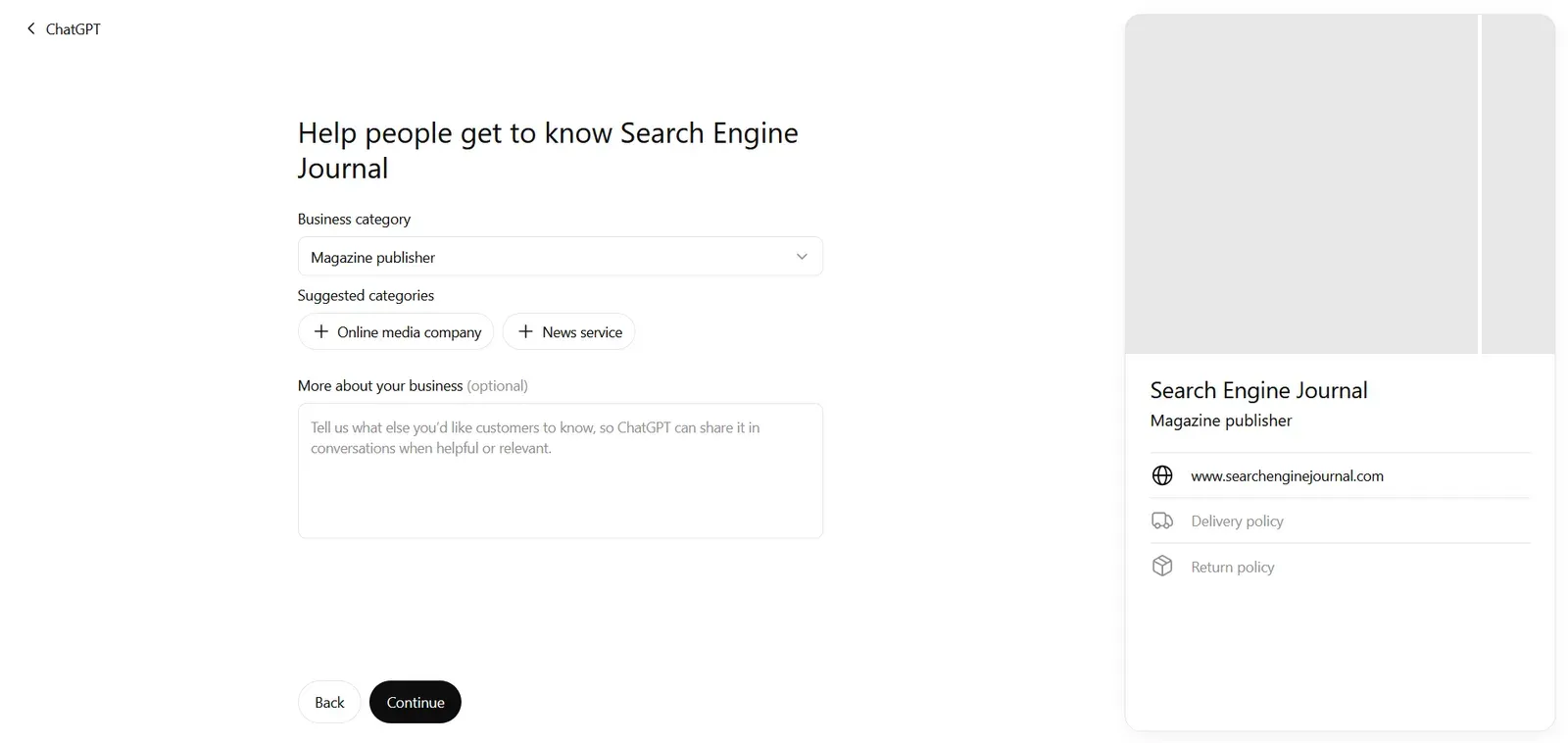
4. Choose a category and write a description
You pick from a ready-made list. The publisher in this test chose "Magazine publisher". The description is optional, but it may be used in relevant conversations, so write it clearly and plainly.
5. Add contact details and answer the policy questions
Email and phone are optional. You'll also see delivery and return questions, even if they don't fit your business. A publisher got them too.
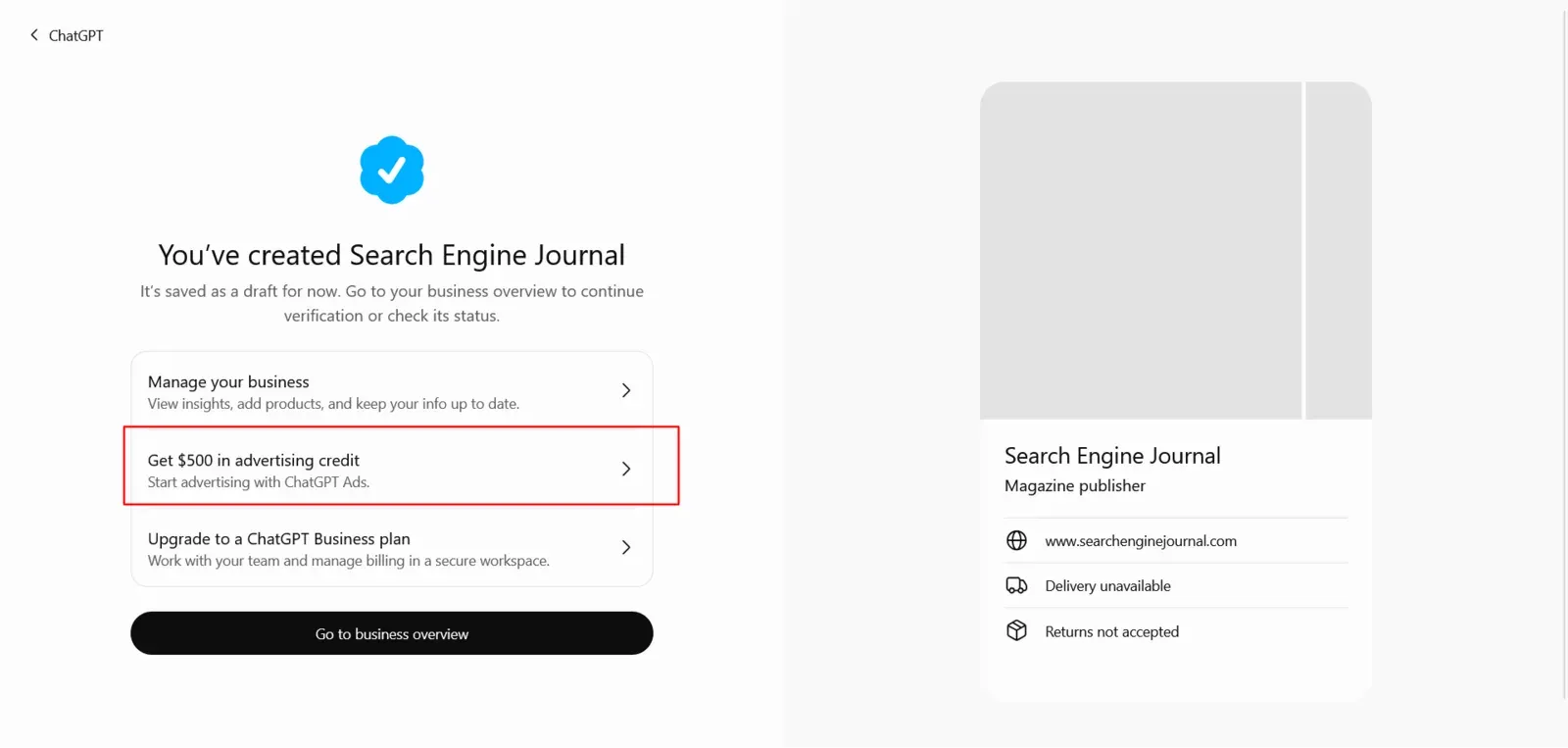
6. Check the draft
Your profile saves as a draft. This screen also offers a $500 ad credit and an upgrade to a ChatGPT Business plan. The credit comes with its own terms, so read them before you count on it.
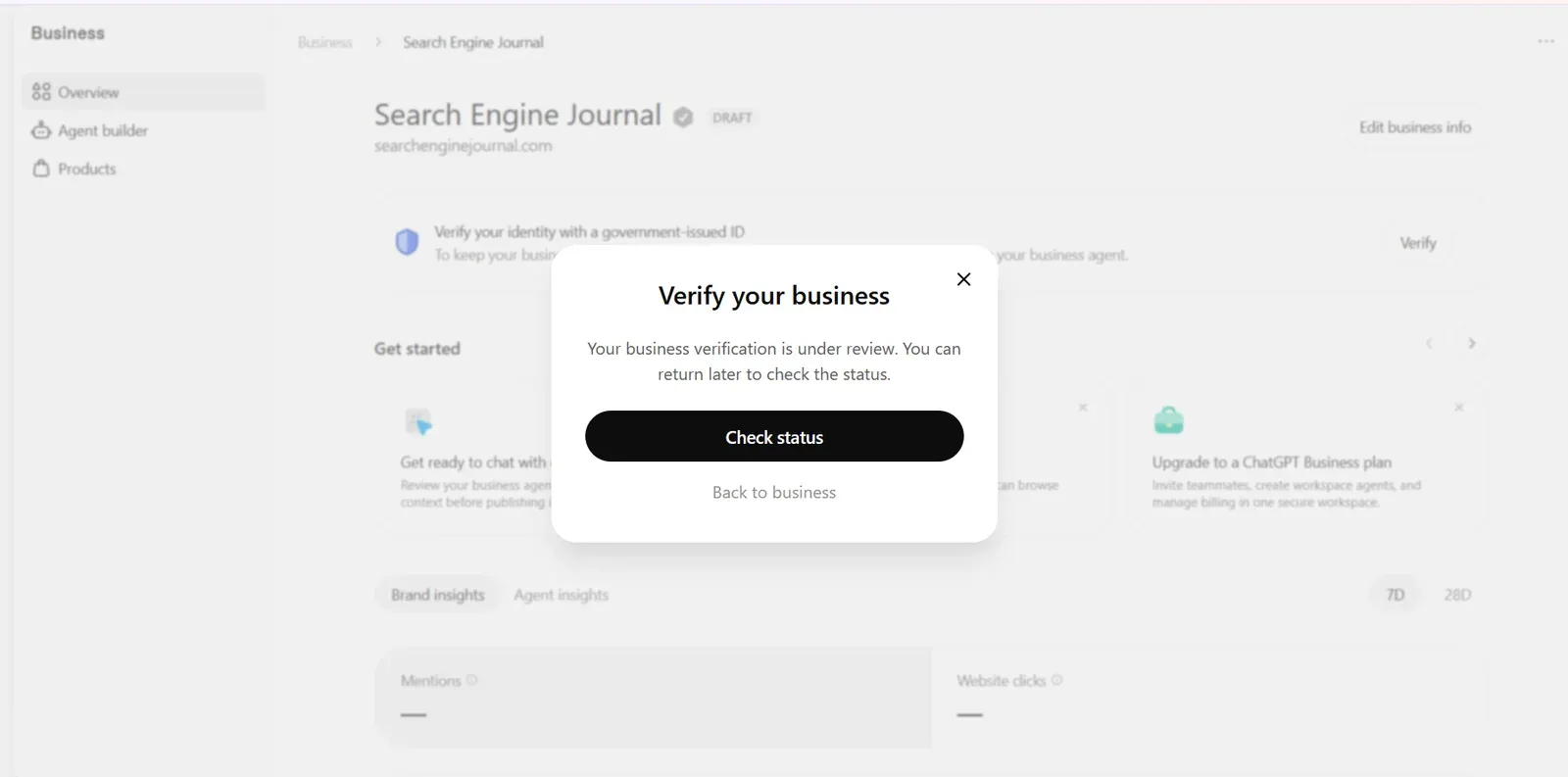
7. Verify your identity and submit
The ID check runs through a QR code or a secure link. It needs camera access, and there's no app to download. Keep a government ID handy. Then you enter your business details. Once approved, a profile created this way publishes automatically, so read your draft carefully.
What you need before you start
- Access to your domain's DNS settings
- A government-issued ID for the identity check
- Your public business name, your legal name, and your trading name if it's different
- Your business type: sole proprietorship or registered entity
- A real physical address, no P.O. boxes (plus your registered address, if different)
- A registration or tax identifier for your country. The form's placeholder looked like a US tax number, so check what yours asks for
Can I claim my business in ChatGPT in India?
Short answer: you can try, if your business has a website.
OpenAI says any eligible business in a market where ChatGPT is available can claim a profile, and it's opening to businesses with a website first. ChatGPT is available in India, so that's your way in. You still have to pass verification.
What OpenAI hasn't shared is a country list or a full category list, so I won't guess one. Here's where things stand as of 13 November.
Open to claim
- Online stores and ecommerce brands
- Shopify brands (connect your store, add a product feed)
- Online service businesses with a website
- Publishers and online media
Not open yet
- Business Agents outside the US. At launch they're limited to eligible US ecommerce and online service companies
- Local stores and restaurants beyond existing US listings
- Physical-location setup. One tester landed on a waitlist
Run an escape room, a clinic or a restaurant? The physical route is the one that isn't ready yet. Get your website, reviews and Google Business Profile in shape now, so you're set the day it opens.
Not sure which category you'd fall under? You'll see the full list in the dropdown when you set up your profile. Examples so far include Magazine publisher, Online media company and News service.
ChatGPT business listing eligibility: which businesses can claim one?
The clearest details so far are for the US, where the beta launched. OpenAI says claims are open in markets where ChatGPT operates and it supports verification, but it hasn't listed other countries. So here's what's confirmed for US businesses.
- Online stores and ecommerce. Claim a profile, upload a product feed with prices and stock, and publish a Business Agent (an assistant that answers customer questions).
- Shopify merchants. Connect your store from Business Hub. You can reuse your existing catalog to build and test an agent before you publish it.
- Online service companies with a website. Claim a profile and publish a Business Agent.
- Publishers and online media. Claim or create a profile. The publisher in the test above did exactly that.
- Local stores and restaurants. Claim an existing US listing only. You verify with a code sent to your business phone by text or automated call.
Verification isn't one-size-fits-all. Depending on your business, OpenAI can use your business phone, your email, your website domain or your Shopify account. Every profile manager also has to pass the ID check.
How to see your ChatGPT mentions and website clicks
Business Hub reports two things: mentions and website clicks. A mention only counts when ChatGPT references your website. Saying your brand name alone doesn't count. The data is grouped and has minimum thresholds, so a small business may see blanks. You never see anyone's private conversations.
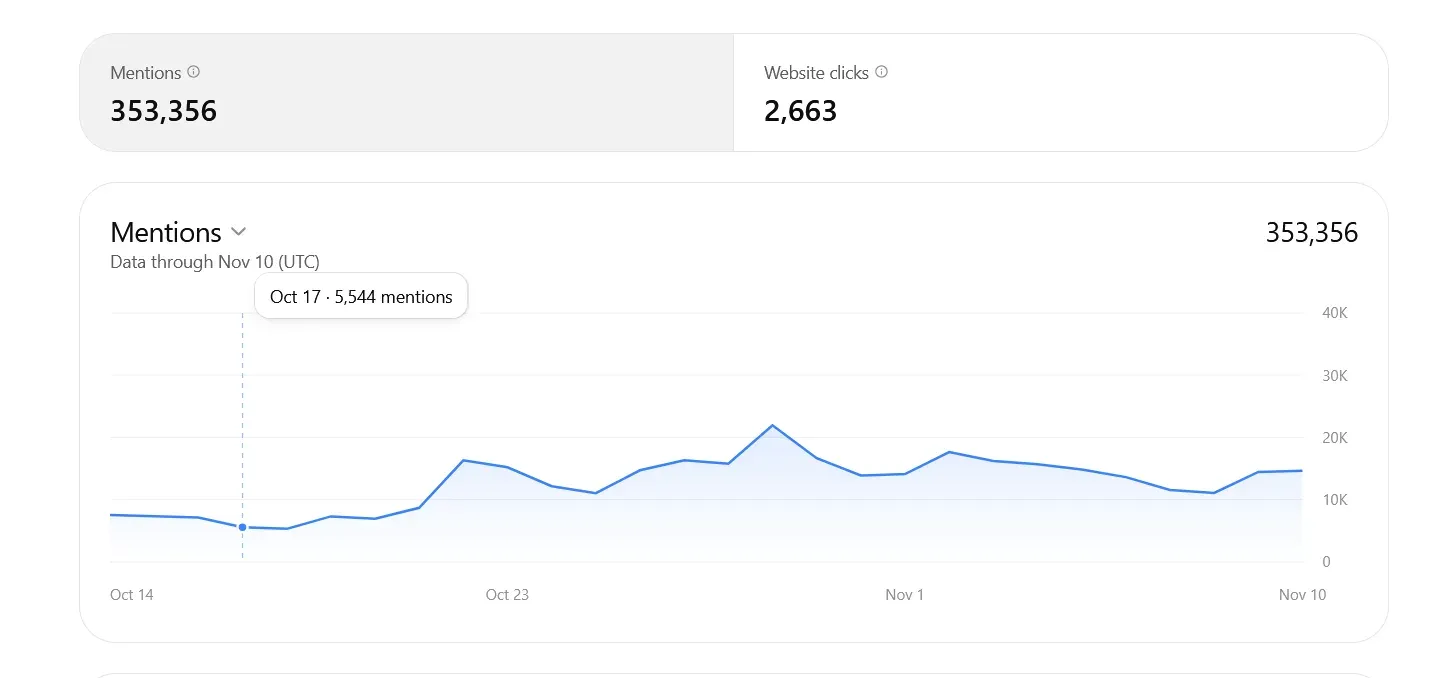
Clicks aren't visits, and visits aren't sales. Compare these numbers with your own analytics for the same dates before you report anything.
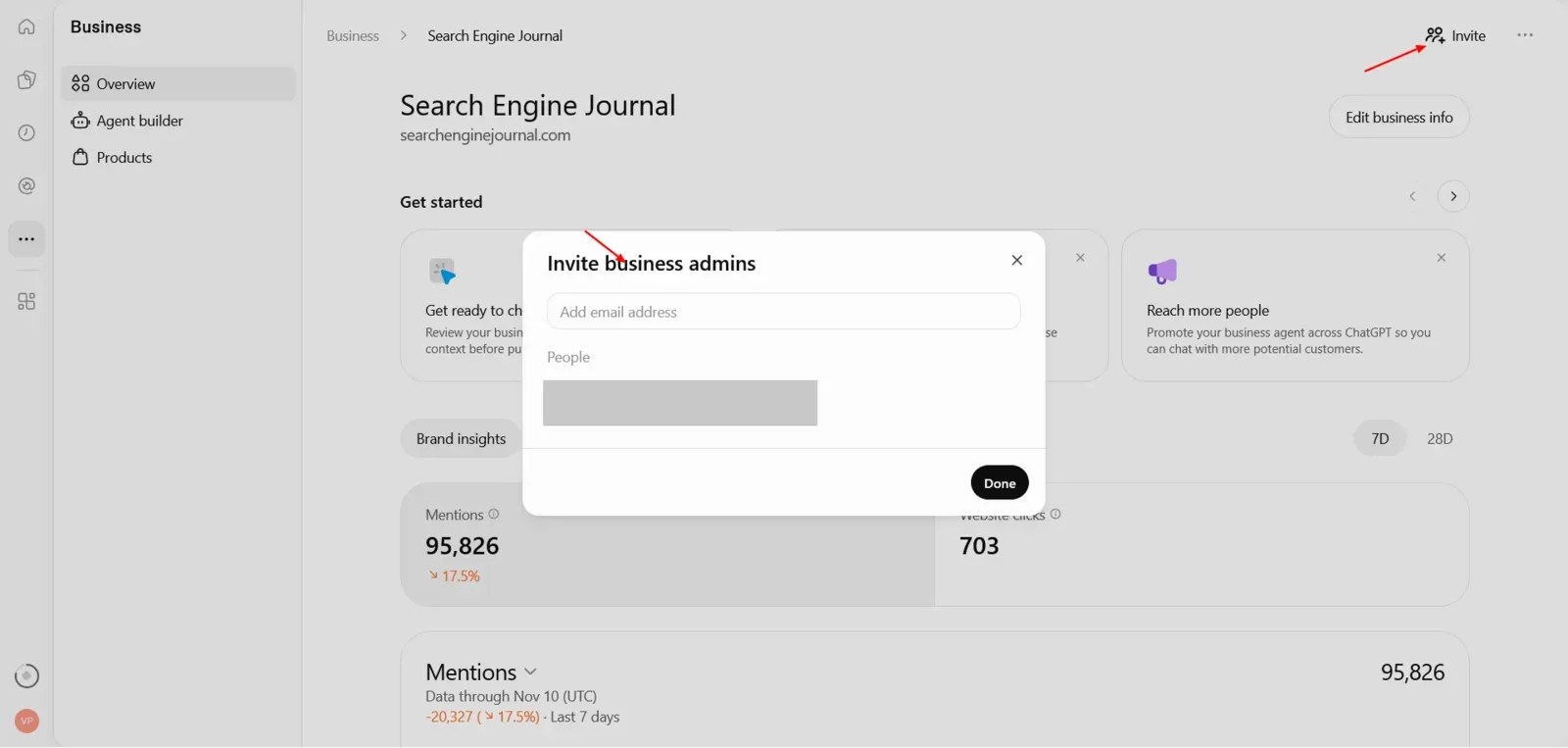
Want a teammate in there too? Hit Invite at the top right of the business overview and add their email. Everyone should use their own ChatGPT account.
What the ChatGPT business listing can't do yet
It's a beta, so expect things to change. There's no central place to manage a parent company's brands and locations. Claiming the main brand doesn't claim its locations. And if you sell products, you'll need a separate product feed.
5 things I'd do on top of the listing
- Search your brand in ChatGPT first. See what it already says about you before you claim anything.
- Fix your website pages. A mention only counts when ChatGPT references your website. Clear about, pricing, policy and FAQ pages are now part of your visibility.
- Keep your names identical. Your public name, legal name and website should match everywhere. It makes verification smoother.
- Track chatgpt.com in your analytics. Business Hub gives you clicks. Your analytics gives you sessions and sales. Put them side by side.
- Never pay someone to list you. Claiming is free at launch. Do it yourself, it takes one sitting.
What I'd do this week
Five jobs. Do them in order and you'll have your profile claimed and a baseline to measure against.
- Search your brand in ChatGPT. Screenshot what it says today. That's your before.
- Sort your DNS access. Find who manages your domain and ask for the TXT record step now.
- Gather your details. Government ID, legal and public names, address, registration number.
- Claim and verify. Choose "Through a website", add the record, pass the ID check, check the draft.
- Set your baseline. Track chatgpt.com in analytics and write the 20 questions a buyer would ask ChatGPT. Re-run them every month.
Keep doing SEO. Google still matters. But claim the profile while it's free and the line is short, then measure it like you measure everything else.
Helping you make profits, not just revenue. That includes being the business ChatGPT mentions.
The rest of this is yours, free.
Enter your email to keep reading — and unlock every Massive Impact resource.
No spam. One email unlocks every Massive Impact resource.