


What it does well, the pricing model that catches people out, and the habit that keeps it safe.
Last verified: 21 September 2026 · 20 minute read · No technical background needed
Who this guide is for
Anyone weighing up whether to hand a whole project to an AI rather than a single task. Perplexity Computer is the most ambitious product in this library. It's also the one most likely to surprise you with a bill.
By the end you'll know: what it genuinely does well, the pricing model that catches people out, and the one habit that makes it safe to use.
In one sentence
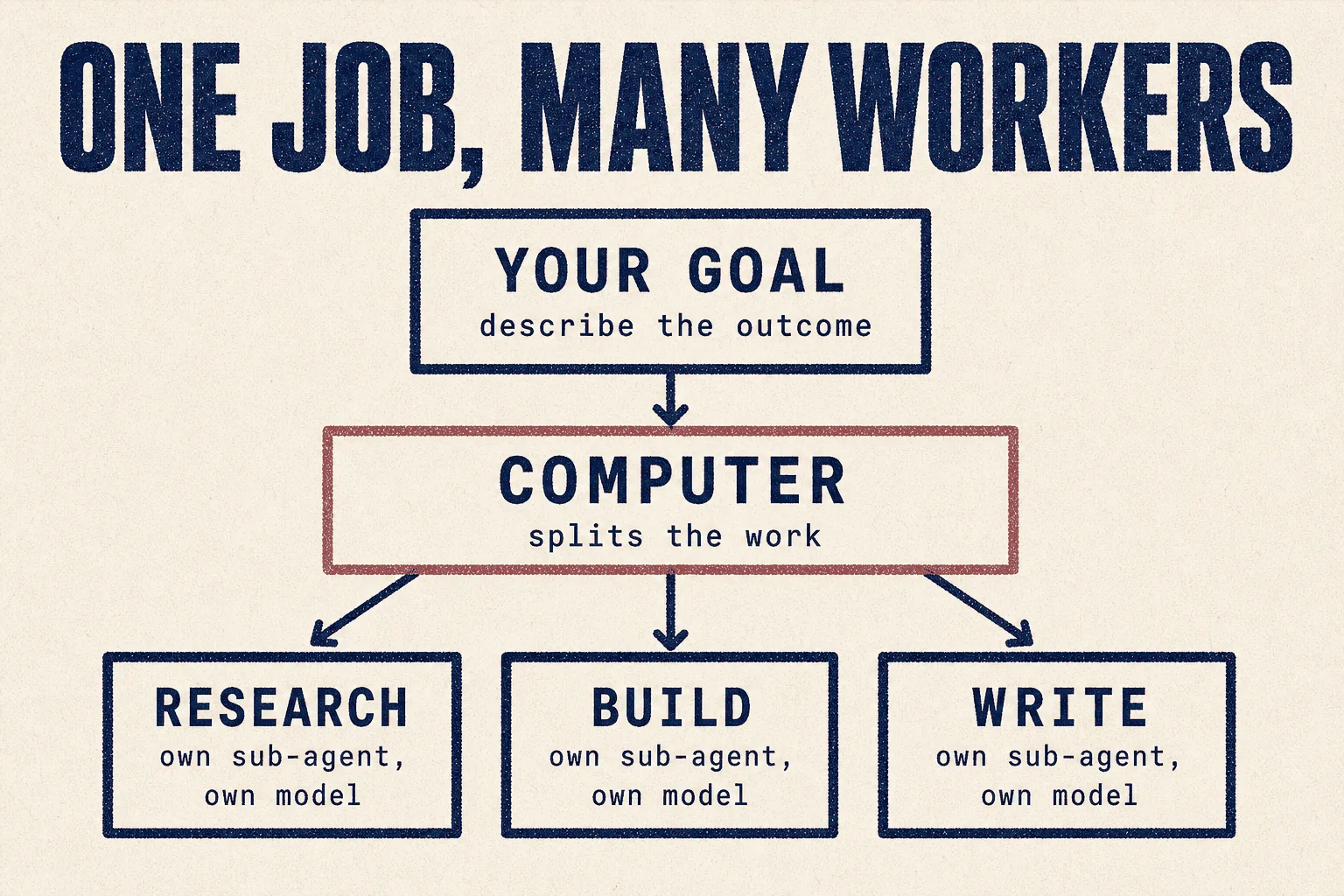
You describe an outcome, and Perplexity Computer breaks it into jobs, hires a different AI for each one, and works on them in parallel until it's finished.
The analogy that makes it click
Most agents are one worker with one brain.
Perplexity Computer is a project manager with a staffing budget. You hand over a goal. It writes the plan, splits the work, then puts a different specialist on each piece: one model for research, another for images, another for video, another for anything that needs to be fast and cheap.
In Perplexity's own words, it "creates and executes entire workflows, capable of running for hours or even months."
That's the promise. The catch is that you're paying for every worker it hires, and it decides how many to hire.
At a glance
| What it is | A multi-model system that plans and executes whole projects |
| Made by | Perplexity |
| Launched | 25 February 2026 |
| Cost | Pro $17/month (billed annually) · Max $167/month · usage burns credits |
| Where the work happens | Isolated cloud environments with a real filesystem and browser |
| Local option | ✅ Yes, uniquely. See the product line table below |
| Verdict | 🟡 Watch it (judged from documentation and community reports; we have not run it in production) |
What makes it different: it hires the best model for each job
Everything else in this library runs on one model at a time. This runs several at once, and picks per task. Perplexity's own description of the line-up:
| Job | Model it reaches for |
|---|---|
| Core reasoning | Opus 4.6 |
| Deep research | Gemini |
| Images | Nano Banana |
| Video | Veo 3.1 |
| Fast lightweight tasks | Grok |
| Long-context recall, wide search | ChatGPT 5.2 |
You can also pick specific models for specific subtasks yourself.
Why this matters: you're not betting on one lab being best at everything. The counter-argument is that you're paying a middleman to make that choice, and paying for the calls it makes on your behalf.
The product line, which is genuinely confusing
Three things share the name. They are not the same product.
| Name | Launched | Where it runs | Why you'd pick it |
|---|---|---|---|
| Computer | Feb 2026 | Perplexity's cloud | the main product, most capable |
| Personal Computer | Mar to May 2026 | your own Mac | your files stay on your machine |
| Portable Computer | Aug 2026 | NVIDIA DGX Spark hardware | keeps private data local, on your own box |
That local option is a real advantage over Grok Bot, which cannot be self-hosted at all. It's also the source of a privacy complaint covered below.
What it costs
| Plan | Price | What you get |
|---|---|---|
| Free | $0 | limited Computer access |
| Pro | $17/month billed annually | expanded Computer access, 4,000 bonus credits, plus $40 of free Computer credits as a limited-time offer at the time of writing |
| Max | $167/month | 10,000 monthly credits plus 35,000 bonus credits |
| Enterprise | custom |
Read directly from perplexity.ai/pro and perplexity.ai/max, 21 Sep 2026.
⚠️ Credits are the real price, not the subscription. The monthly fee buys you an allowance. Work consumes it. This is where almost every complaint comes from.
⚠️ The credit trap
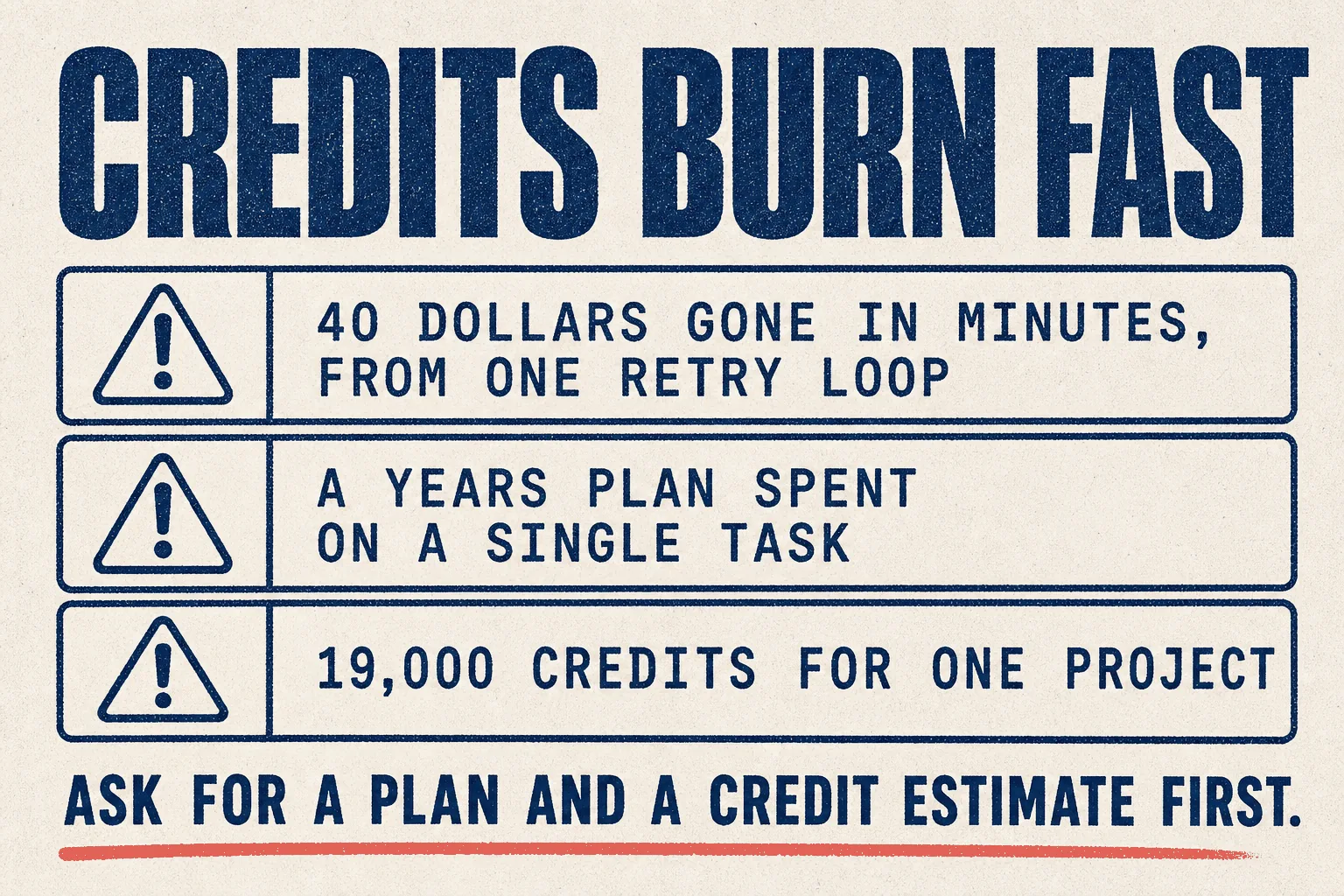
This is the dominant theme in the community, and you should read it before you subscribe.
"I made the mistake of jumping in, $200 for the year, ran out of credits in one single task. Total b.s." (5 votes)
"19k credits. Woah, that's insane for this, Gemini can do this too." (7 votes)
And the worst case, from a user who didn't realise they'd switched into Computer mode at all:
"One agent turned my project into a recurring university lecture task, running 8 times in a single day. Another built a full AI-news website structure. When I tried to cancel a recurring task, it entered an error-retry loop that burned ~$40 in credits within minutes." (24 votes)
In fairness, one reply disputes that it can happen unnoticed: "It makes you confirm scheduled tasks in Computer. It can't happen by accident as you say." Both accounts are in the same thread. Treat it as a risk worth guarding against rather than a certainty.
The one habit that makes it safe
This comes from the most positive report in the research, at 93 votes, and it's the single most useful thing in this guide.
Ask for a plan and a credit estimate before you let it build anything.
Their actual sequence:
- Wrote a 2-page requirements document
- Asked Computer to create a plan before building anything
- Got back a 15-page plan
- Edited the plan, including telling it to use higher-quality models where quality mattered
- It estimated the credits the project would take
- Only then let it run
Their verdict: "Zero errors throughout the entire process."
Never say "go and build X". Say "plan X, estimate the credits, and wait." That one change turns an unpredictable bill into a quoted job.
What it's genuinely good at
| Task | Evidence |
|---|---|
| Large research and analysis projects | The 93-vote report: research, data analysis, and a working site with database and dashboards, built from a 2-page brief |
| Reading large volumes of material | Even a critic conceded: "Computer is only good for reading large amounts of information" |
| Work that spans days | Designed for runs lasting hours or months, asynchronously |
| Jobs needing several kinds of output | Research plus documents plus images plus code, in one run |
Perplexity's own suggested starting points are modest and honest: organise my Drive, summarise shared file changes, turn Notion notes into a wiki, turn my notes into a plan.
Mistakes to avoid
❌ Mistake 1: not knowing which mode you're in
The clearest, most specific warning in the research. A Pro user believed they were using ordinary search, and autonomous agents were running without their knowledge.
Another user, at 3 votes:
"I will typically discover some of my conversational stuff has been randomly happening in computer despite me never actively intending to use computer."
And at 13 votes:
"It sets it by default in project spaces, so it's basically an intrusive ad, despite having a paid sub."
Check which mode you're in before every session that matters.
❌ Mistake 2: letting it start without a quote
Covered above. This is the whole ballgame.
❌ Mistake 3: assuming the top tier removes limits
"Wait. Max doesn't give you unlimited use?" (3 votes)
It doesn't. Max is a bigger allowance, not an unlimited one.
❌ Mistake 4: using it for things the plain product does better
At 8 votes, from a paying subscriber:
"Computer is only good for reading large amounts of information, otherwise I find that the basic Perplexity that does not use computer is often a lot better. And I resent how often perplexity is forcing it."
❌ Mistake 5: installing the local app without thinking about file access
The local versions want access to your machine. One user's response:
"For exactly that reason, access to all my Mac files, I uninstalled the Perplexity Mac app. I want my files to remain private and now only use Perplexity Pro via my web browser."
That's a reasonable position, especially if you hold client data.
❌ Mistake 6: trusting the output without checking it
Not every report is glowing. At 2 votes:
"It just blew away half my tokens on assuming data was missing. It STILL output the wrong result."
Best practices
✅ Plan first, estimate credits, then execute
✅ Confirm your mode before starting
✅ Start on the free tier or the credit bonus, never an annual plan
✅ Direct it to better models only where quality actually matters
✅ Check the output, particularly anything numerical
✅ Use the web version if file privacy matters to you
The honest criticism
There's real frustration in the community, and a guide that hid it would be useless. The most upvoted feedback thread is titled "Please stop begging us to use perplexity computer" at 170 votes.
The complaints cluster:
- It's pushed at users who don't want it, including inside paid plans
- Feedback through official channels reportedly went unacknowledged
- Credits run out faster than people expect
- The line between ordinary chat and autonomous execution is too easy to cross
Against that, the 93-vote success story is detailed, specific and credible, and the person who wrote it followed the plan-first habit above.
Both things are true. Used deliberately, with a quote in hand, it does impressive work. Used casually, it spends your money while you think you're chatting.
How it compares
| Perplexity Computer | Grok Bot | Hermes | |
|---|---|---|---|
| Entry cost | $17/mo + credits | from $20/mo | free + model costs |
| Pricing model | credits, can spike | weekly allowance | you pay the model directly |
| Multi-model | ✅ picks per task | ❌ | ✅ you choose |
| Runs for days or months | ✅ | ✅ | ✅ with a scheduler |
| Local or self-hosted option | ✅ Personal and Portable | ❌ | ✅ |
| Best at | large multi-part projects | clicking through tools | recurring scheduled jobs |
Security and privacy
| ☐ | Decide between cloud and local before installing anything |
| ☐ | The local apps request broad access to your files. Say no if you hold client data |
| ☐ | Check which mode you're in before each session |
| ☐ | Set the plan-first habit before giving it anything real |
| ☐ | Treat anything it reads online as untrusted, as with any agent |
Verdict
🟡 Watch it
Based on Perplexity's own documentation and pricing, plus community reports. We have not run it in production on client work. This guide gets updated when we do.
The idea is the best in this library. Orchestrating several specialist models against one goal is genuinely where this is all going, and Perplexity got there first.
The execution has a money problem. Not that it's expensive, but that it's unpredictable, and the interface makes it too easy to start spending without meaning to. A tool you can't forecast is hard to put on a client project.
Try it if you have one large, well-defined research or analysis project and you're willing to make it write a plan and quote the credits first. On the free credits, that costs you nothing to learn.
Don't buy the annual plan until you've watched what a single real project consumes. Several people regret exactly that.
This week: take one real project, ask for a plan and a credit estimate, and compare that estimate to what it actually spends. That number tells you whether this belongs in your workflow.
Sources
Primary, checked 21 September 2026
- Introducing Perplexity Computer, 25 Feb 2026, the model line-up and architecture
- perplexity.ai/computer, product page and suggested tasks
- perplexity.ai/pro and perplexity.ai/max, pricing read directly
Community reports, quoted with upvotes. Anecdotes, not measurements.
- Please stop begging us to use perplexity computer (170 votes)
- I tried Perplexity Computer for a complex research and data analysis project (93 votes)
- PSA: the line between Chat and Computer mode is dangerously blurry (24 votes)
- Used both Cowork and Perplexity Computer for a month (12 votes)
Prices, credit allowances and promotional offers change. Verify before buying.
Part of The Agent Guides by Massive Impact. Illustrations generated in-house. No third-party screenshots or marks reproduced.
The rest of the guide is yours, free.
Enter your email to keep reading and get the PDF to keep.
No spam. One email unlocks every Massive Impact resource.
“The analytics are set up so I can see who's been on my website, when are they on, what stage are they on. And then it's all connected to my booking system.”
The service behind this
More from the library
