



The assistant that keeps working after you close the laptop, and how not to overspend on it.
Last verified: 21 September 2026 · 25 minute read · No technical background needed
Who this guide is for
Anyone who wants an assistant that keeps working after they shut the laptop, and who'd rather pay a subscription than set up a server.
This is the easiest agent in the library to start using, and the easiest one to overspend on. Both of those get covered properly below.
By the end you'll know: the two ways to get it, what it's genuinely good at, the one thing it's bad at, and the billing trap that catches most new users in week one.
In one sentence
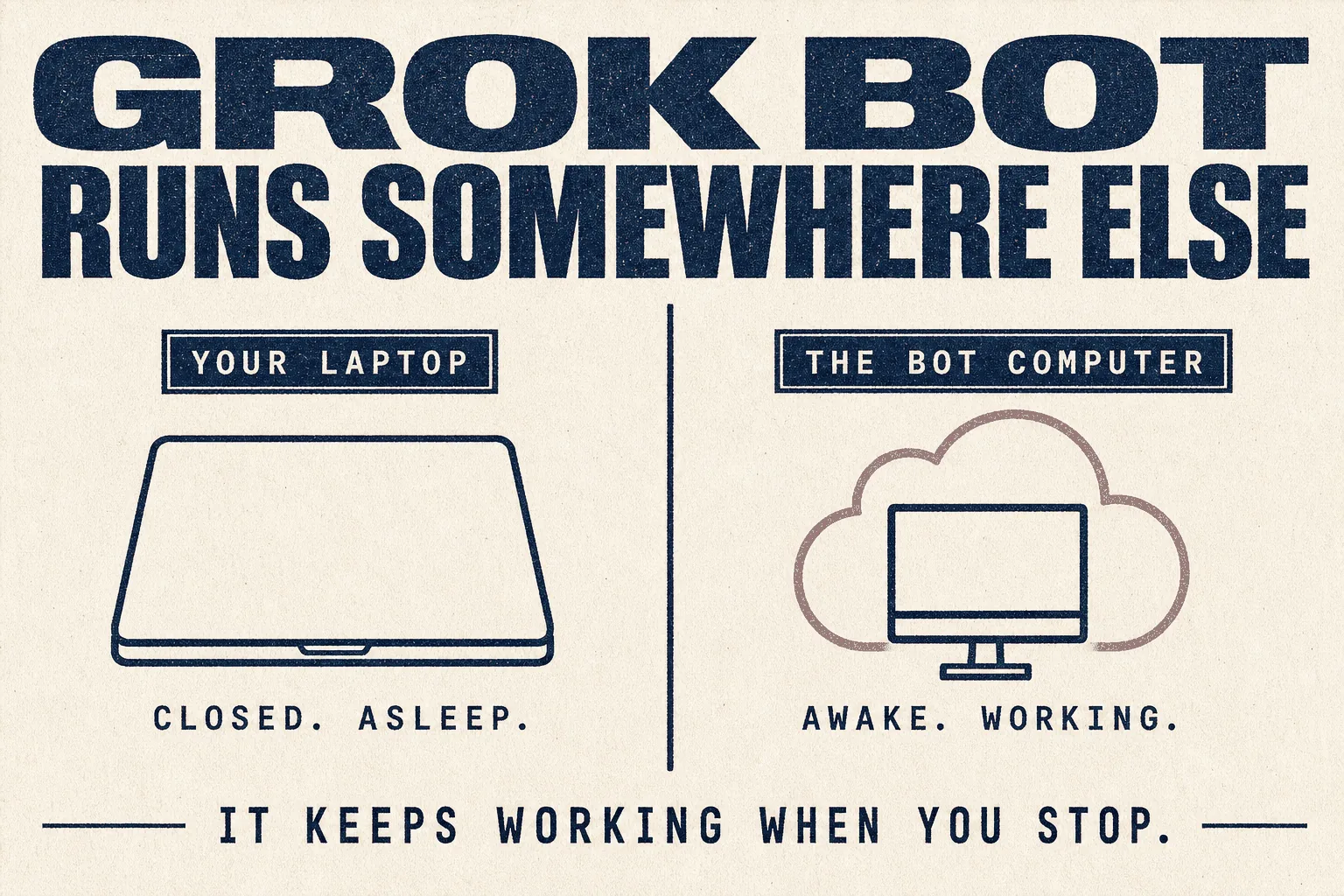
Grok Bot gives you AI teammates that have their own computer in the cloud, so they sign into your tools and keep working while your laptop is closed.
The analogy that makes it click
Every other agent in this library runs on a machine you have to think about. Your laptop, or a server you rent and maintain.
Grok Bot is different. It comes with its own computer.
Think of hiring a remote worker who already has a desk, a machine and a login to your systems. You message them, they go away and do the work on their own kit, and they come back when they need a decision. You never think about where they sit.
That's the whole product. It's less flexible than the open-source options and considerably easier to start.
At a glance
| What it is | Always-on AI teammates with their own cloud computer |
| Made by | xAI, now part of SpaceX (SpaceX acquired xAI in February 2026) |
| Launched | 11 August 2026. It's new |
| Cost | From $20/month via Cursor Pro, or $30/month via SuperGrok |
| Setup time | Minutes. One reviewer built twelve working bots in eight hours |
| Runs on | macOS, Windows, iOS. Its actual work happens in xAI's cloud |
| Self-hostable | ❌ No. xAI-managed cloud only |
| Verdict | 🔵 Trial it, if you already pay for a qualifying plan (judged from documentation and community reports; we have not run it in production) |
What makes it different
| Feature | Why it matters |
|---|---|
| Its own computer | Work continues when your machine is off. No server to rent, nothing to maintain |
| It signs into your tools | It uses websites and apps the way you do, including ones with no API to automate against |
| Teach by demonstration | Do a task once while it watches. It saves that as a routine and runs it itself next time |
| Many bots at once | One on a project, one on outbound, one on systems. They work in parallel and can pass work between them |
That third one is genuinely different from everything else in this library. You don't write instructions, you do the job once and it copies you.
The two ways to get it
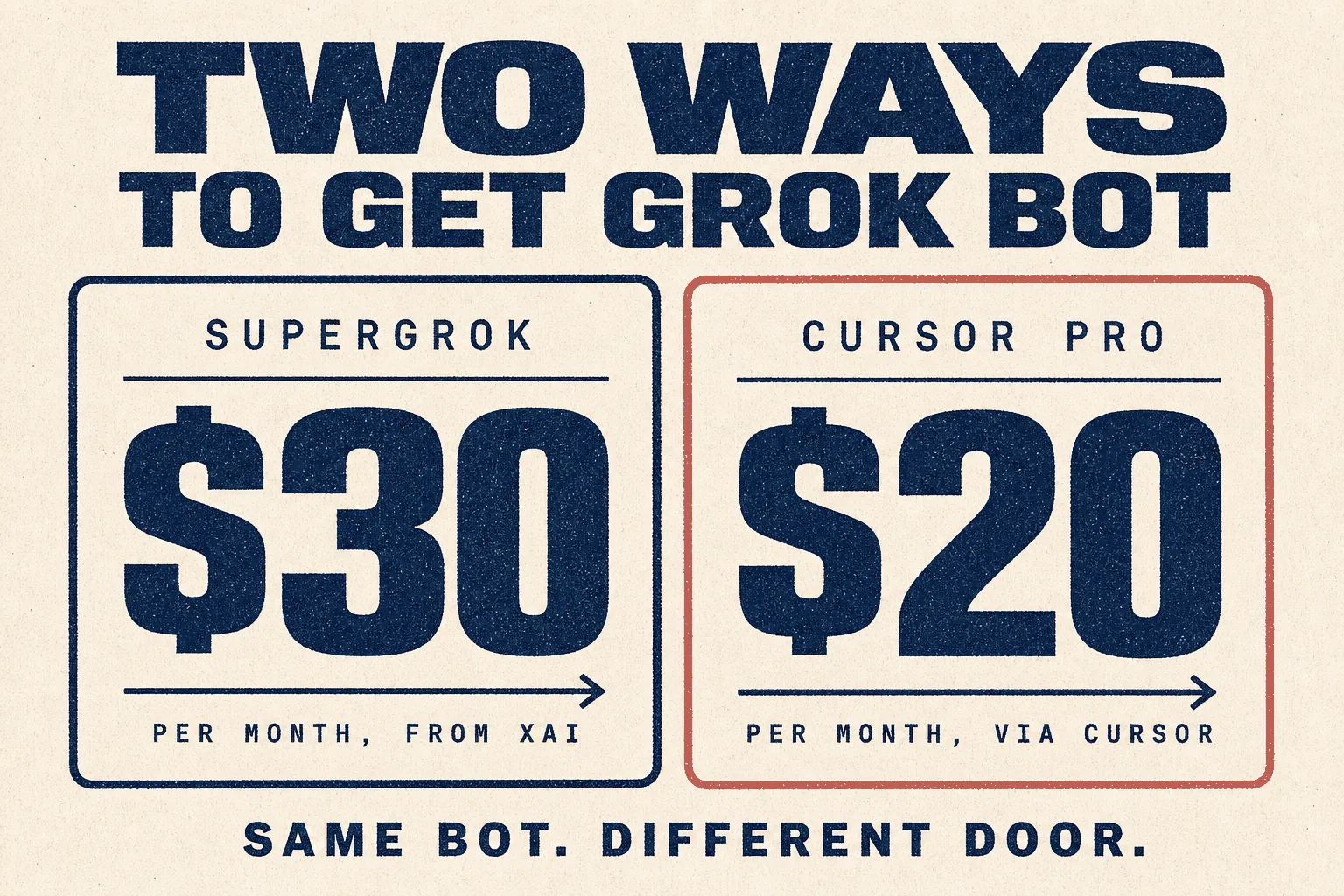
xAI's own announcement, dated 26 August 2026, is unambiguous: "Grok Bot is now available for SuperGrok, Cursor Pro, and all Cursor Teams plans."
| Route | Price | What else you get |
|---|---|---|
| Cursor Pro | $20/month | Grok Bot access, plus Cursor's coding tools |
| SuperGrok | $30/month | Grok Bot access, Grok 4.6, image and video generation, connectors |
| SuperGrok Plus | $100/month | much higher usage, priority access at peak times |
| SuperGrok Heavy | higher | the top consumer tier |
| Business / Enterprise | custom | seat management, SSO, audit controls |
Check before you buy: a lot of articles still say Grok Bot needs the $300 tier. That was true at launch. It changed on 26 August 2026. The cheapest genuine route today is $20 through Cursor Pro.
⚠️ There is no standalone Grok Bot subscription. You're always buying a larger plan that includes it.
What people actually build with it
From r/GrokBot and r/cursor, with upvotes. Anecdotes, but specific ones.
| What they built | Votes |
|---|---|
| A grocery bot. Takes recipes, tracks purchases, builds shopping lists and weekly meal plans, orders through Instacart, all tracked in Notion. "Helps stay on budget and saves paying for a food service" | 12 |
| School admin replacement. Automated data pulls from school management platforms they hated, then built replacement websites from the data | 7 |
| A change watcher. "Watch this and notify me if something changes", running persistently | 8 |
| Bookkeeping. Downloads daily sales from the point-of-sale system, formats it with calculated fields into a CSV for QuickBooks. Also emails store managers a month-to-date KPI summary daily | 3 |
| Travel and expenses. Books business travel, sends the itinerary to everyone travelling, files receipts from email, writes meeting minutes, delivers a morning action list | 3 |
| Estate agency. Texts expired listings each morning and runs processes inside the MLS | OP |
| Documentation, competitor analysis, turning PR into blog posts | 3 |
The official use cases
xAI publishes eight, which tells you who it's aimed at: Chief of Staff, Sales Outbound, Paid Media, Account Health, Talent Scout, Expense Manager, Bug Reproduction, Product Performance. There's also a Marketplace of ready-made bots at x.ai/bot/marketplace, sorted by Engineering, Sales, Marketing, Design, Personal, Recruiting, Product and Operations.
Getting started
Step 1 · Check whether you already have it
If you pay for Cursor Pro, any Cursor Teams plan, or SuperGrok, you already have access. A lot of people buy a second subscription without realising.
Step 2 · Download the app
From x.ai/bot. macOS, Windows and iOS. There's no Linux, Android or iPad app at the time of writing.
Step 3 · Create your first bot and give it a job
You message it like a person. No configuration files, no terminal.
Step 4 · Log it into one tool, and only one
It signs into your apps and uses them as you would. Start with something read-only. A dashboard it can look at, not your live website.
Step 5 · Teach it a routine by doing it once
Ask a bot to follow along while you complete a workflow. It saves that as a routine and runs it on its own next time. This is the feature worth your first hour.
Step 6 · Check your usage before you trust it with anything
Genuinely. Do this on day one. The next section explains why.
⚠️ The usage trap
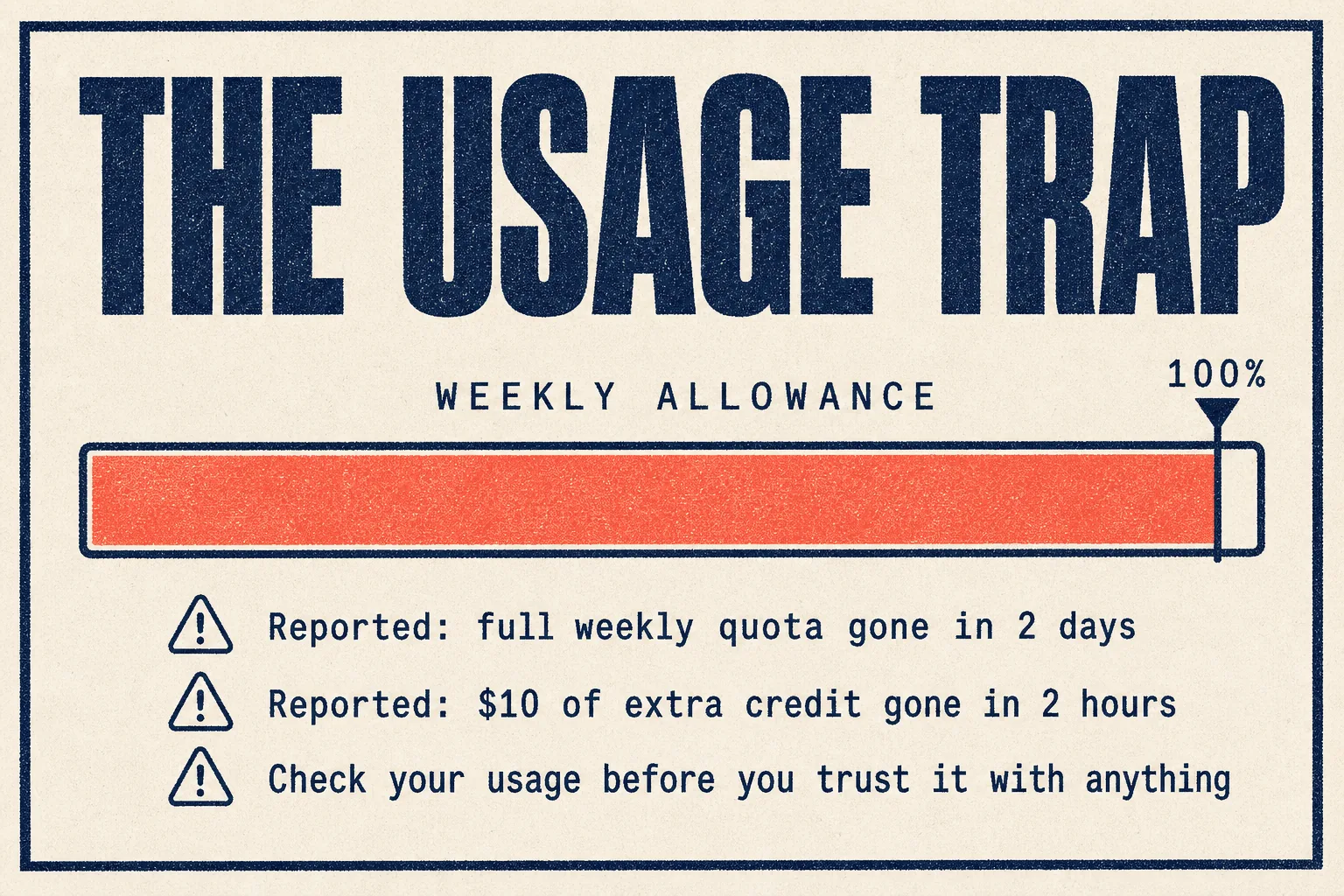
This is the single most repeated complaint, and the reason a lot of people bounce off it in week one.
From a user who'd built a real setup on the $20 plan, managing inboxes, calendars, scheduling and sysadmin:
"After the first weekly reset, I already hit 100% weekly usage in 2 days. Just to test how much Grok Bot uses, I added $10 on-demand credit. To my surprise, it was all used after 2 hours." (50 votes)
The replies are worth reading in full, because they disagree with each other and both sides have a point.
The defence (19 votes):
"Dude you're paying $20/mo for a full-time secretary, put that in perspective a bit."
The warning (6 votes):
"Any $5 to $20 sub is introductory pricing. To introduce you to the product, not let you fully use it."
The mechanics (2 votes):
"When you add credits, you are paying API rates. Your sub is subsidised heavily. The $20 sub is probably $500 in API rates."
What to do about it
- Find the usage meter on day one. Know where it is before you need it.
- Start with one bot, not twelve. Watch what a week costs before scaling.
- Use schedules, not chat. A bot you talk to all day burns far more than one that runs a defined job twice.
- Don't add on-demand credit until you understand the rate. That's where the money goes fastest.
- Assume today's price is introductory. Build nothing you can't move.
7 hacks that put you ahead of 99% of users
1 · Don't make it do the hard work. Make it run the tools that do.
The best insight in the whole community, at 7 votes:
"You're doing it wrong. Don't get Grok Bot to do the hard work, get it to spin up the tools you trust to do the work. It should be spinning up a cloud coding agent on its little computer to do coding work for you."
Treat it as a manager, not a specialist. It's excellent at clicking, waiting, checking and handing off. It's mediocre at the craft itself.
2 · Teach, don't instruct
Everything else in this library needs written instructions. This one watches you do the job once. If you find yourself writing a long prompt, stop and demonstrate instead.
3 · One subscription, three agents
xAI officially supports using a Grok subscription inside OpenClaw (announced 19 May 2026) and Hermes (15 May 2026). So one $30 SuperGrok plan can power Grok Bot and be the brain behind either open-source agent. If you're comparing all three, that's one payment instead of three.
4 · Let bots talk to each other
Bots keep context and learn from each other. Show one a workflow today, hand the project to another by Friday. One user called the group chats of agents messaging each other "the most compelling implementation of AI I have ever used."
5 · Check the Marketplace before building
Ready-made bots exist across nine categories. The job you want probably has a template.
6 · Use it for the jobs you hate, not the jobs you're good at
The people who love it use it for admin, filing, chasing, monitoring and data entry. The people who hate it asked it to write their marketing copy. See the next section.
7 · Watch the model it selects
"Sometimes when I'm not paying attention the speed and quality of the code goes to crap. Then I realise Grok turned itself back on and set it as the default for me. Getting pretty tired of that." (8 votes)
Check which model is actually running before you blame the output.
Mistakes to avoid
❌ Mistake 1: expecting it to write well
The clearest signal in the research. A user who tried:
"The personal stuff is fine. The part I really wanted, help with product, marketing and copy for my business, is absolutely atrocious. It can't write for shit." (41 votes)
Echoed at 4 votes: "It's not great at personal requests like reword this email."
It's a doer, not a writer. Give it the clicking and the chasing. Keep the words somewhere else.
❌ Mistake 2: giving it production access early
The most alarming report in this entire library, at 4 votes:
"First did some awful stuff like creating a cloud instance in Shanghai and deleting my production WP site. But it did a masterful job of assessing my site menu hierarchy and coming up with a reorganisation plan. So, mixed bag."
Read that twice. The same tool produced genuinely good strategic work and deleted a live website. If you look after client sites, it gets read-only access until you've watched it for weeks.
❌ Mistake 3: assuming it can't break
An incident in August 2026 left some users with nothing working at all: "None of my agents in grok bot work. Nothing works. It is bricked for me." Other users reported "Bot failed to respond" errors surviving restarts and app updates.
It's a month-old product. Treat it accordingly.
❌ Mistake 4: using it to drive tools whose terms forbid it
A careful user flagged this (1 vote):
"Be careful about having them drive Claude Code or Codex. I think it is in breach of their terms of service to have a bot do it on a remote desktop. So rather than risk a ban I just let Grok Bot use Cursor."
Good instinct. Check the terms of anything you point it at.
❌ Mistake 5: ignoring who holds the data
At 61 votes, the most upvoted objection in the comparison threads:
"Easy to set up and use, but you have to trust Elon with your data. Hard pass."
That's a preference, not a fact, and you're entitled to your own. But note the structural point: you cannot self-host this. Everything runs on xAI's infrastructure. For regulated work, or client data with contractual restrictions, that may decide it for you.
❌ Mistake 6: expecting frontier intelligence
"It is rather lazy, and Grok feels much dumber than my Hermes agents on GLM-5.3 or Kimi K3. It burns through the $60 plan quota in no time." (6 votes)
Best practices
✅ Read-only first, always
✅ One bot until you understand the billing
✅ Demonstrate the routine rather than describing it
✅ Scheduled jobs, silent on success, loud on exception
✅ Keep the writing somewhere else
✅ Check which model is running before judging the work
✅ Nothing regulated, nothing irreversible, nothing unsupervised
How it compares
The most useful summary came from a Hermes user trying Grok Bot for the first time (22 votes), who described the difference as "a little bit like iPhone versus Android".
That's fair. And a second comment (29 votes) sharpened it:
"The persistent bots in a hosted cloud VM with a UI that feels like a native Mac app is the appeal. Works when your laptop is turned off. It isn't targeted at AI power users, it's targeted at folks who want something to just work out of the box."
| Grok Bot | OpenClaw | Hermes | |
|---|---|---|---|
| Cost | from $20/mo | free + model costs | free + model costs |
| Setup | minutes | ~1 hour | ~1 hour |
| Runs when your laptop is off | ✅ included | needs a server | needs a server |
| Self-hostable | ❌ | ✅ | ✅ |
| Choose your own model | ❌ | ✅ | ✅ |
| Teach by demonstration | ✅ | ❌ | ❌ |
| Your data stays with you | ❌ | ✅ | ✅ |
And the sharpest scepticism, at 86 votes:
"Most people don't understand agentic frameworks, nor do they want to. They see a browser-based computer use and they cream because the future is here. IMHO Grok Bot and Codex are in a heroin pushing phase: make access simple, make inference cheap."
Worth holding in mind when today's price looks generous.
Security
| ☐ | Read-only access until you've watched it work for weeks |
| ☐ | Never point it at a production website or database early on |
| ☐ | Understand that everything runs on xAI infrastructure, not yours |
| ☐ | Check the terms of any tool you have it operate |
| ☐ | Treat anything it reads online as untrusted, the same as any agent |
| ☐ | Find the usage meter and check it daily in week one |
If a client contract restricts where their data may be processed, this product may simply not be available to you. There's no self-hosted option to fall back on.
Verdict
🔵 Trial it, if you already pay for a qualifying plan
Based on xAI's own documentation and pricing, plus community reports. We have not run it in production on client work. This guide gets updated when we do.
Worth it if you already pay for Cursor Pro or SuperGrok and you have click-heavy chores to automate. In that case it costs nothing extra to find out, and the setup is genuinely the easiest in this library.
Not worth buying for on its own. The price gate, the one-month track record, and the inability to self-host make it hard to recommend as a fresh purchase when free alternatives exist.
Avoid entirely for regulated work, anything irreversible, or client data with contractual restrictions on where it's processed.
The one-line summary: brilliant at doing, poor at writing, easy to start, easy to overspend.
This week: check whether your existing subscription already includes it. If it does, build one read-only monitoring bot and watch the usage meter for seven days. That single week tells you everything.
Sources
Primary, checked 21 September 2026
- x.ai/bot product overview and capabilities
- x.ai/pricing plan tiers, read directly
- x.ai/news/grok-bot-more-plans the 26 Aug 2026 access change
- x.ai/news/introducing-grok-bot 11 Aug 2026 launch
- x.ai/bot/use-cases · Marketplace · Guides
- x.ai/news/grok-openclaw and x.ai/news/grok-hermes official support for using a Grok subscription inside both
- cursor.com/pricing confirms Grok Bot access on Cursor plans
- x.ai/news/xai-joins-spacex SpaceX acquisition, Feb 2026
Community reports, quoted with upvotes. Anecdotes, not measurements.
- What's with all the hype around grok bot? (78 votes)
- Grok Bot is expensive (50 votes)
- Any one tried Grok Bot? Is it garbage or just me? (41 votes)
- Here's how Grok Bot is doing all the stuff I hate (39 votes)
- What's the most useful Grokbot automation you've built? (25 votes)
Prices and plan inclusions change. Verify before buying.
Part of The Agent Guides by Massive Impact. Illustrations generated in-house. No third-party screenshots or marks reproduced.
The rest of the guide is yours, free.
Enter your email to keep reading and get the PDF to keep.
No spam. One email unlocks every Massive Impact resource.
“You guys actually have everything in one package, SEO, Facebook Ads, Google Ads, and even website maintenance.”
The service behind this
More from the library
