

PLAYBOOK / DEVELOPER
Claude Code, 0 to Hero
Install to shipped feature. Every primitive. Current to Claude Opus 4.7, April 2026.
Install to shipped feature. Every primitive. Current to Claude Opus 4.7, April 2026.
Who this is for
Anyone shipping software. Solo developers, engineering teams, product managers who can code, indie hackers, agencies. Equally applicable whether you have never installed Claude Code or you use it daily and want to extend it with custom skills, hooks, MCP servers, and subagents.
Nine parts. The gap between someone who uses Claude Code as a chat window and someone who runs it as a production development environment is enormous. This pack closes that gap.
Paired with a companion GitHub repository (the code bundle included with this guide) that ships working slash commands, skill templates, hook scripts, MCP configurations, subagent specs, Agent SDK starter apps, and workflow recipes. Clone, customize, ship.
What is in this pack
- Part 1, What Claude Code Is in 2026
- Part 2, Install and First Session
- Part 3, The Core Loop: Plan, Edit, Verify
- Part 4, Slash Commands, Skills, and Hooks
- Part 5, MCP Servers
- Part 6, Subagents, Parallel Instances, and Worktrees
- Part 7, The Claude Agent SDK
- Part 8, Production Workflows
- Part 9, The 10 Common Mistakes
Part 1, What Claude Code Is in 2026
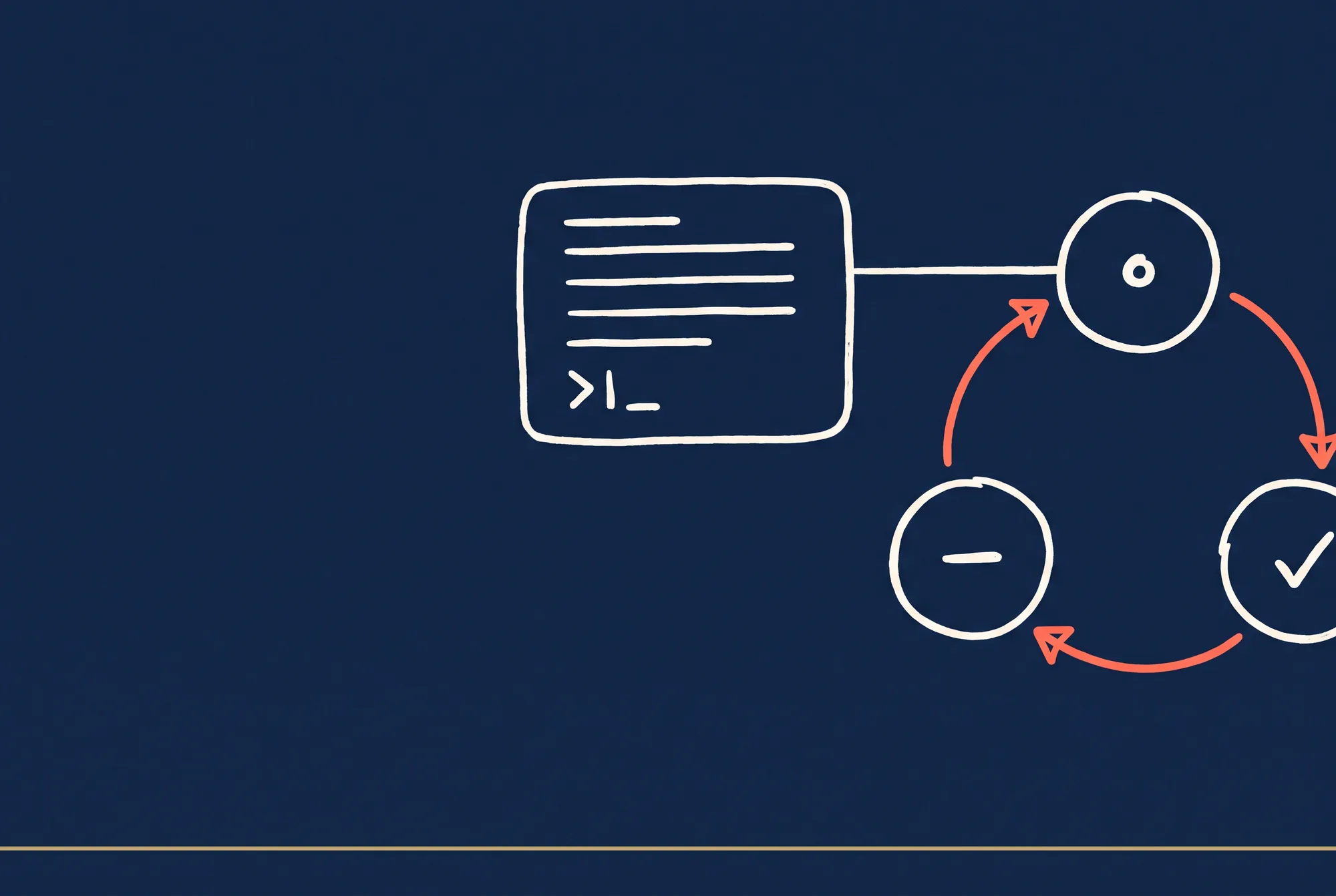
Claude Code is an agentic coding assistant that reads your codebase, runs shell commands, makes coordinated edits across files, tests changes, and commits work. Five surfaces, same engine underneath:
- Terminal CLI: the original and most-used. Run
claudein any project. Full-featured. - Desktop app: native macOS and Windows. Visual diff review, scheduled tasks, side-by-side sessions.
- Web at claude.ai/code: browser-based, works on phones and tablets, run multiple jobs in parallel, kick off tasks and come back later.
- VS Code extension: inline chat, diffs, plan review, conversation history in the editor.
- JetBrains plugin: IntelliJ, PyCharm, WebStorm, GoLand, RubyMine.
All five share the same underlying tool protocol, MCP integration, and Claude model capabilities. Pick whichever matches your workflow; switch freely.
The agentic loop
Your prompt
    ↓
Claude gathers context (reads files, runs commands)
    ↓
Claude takes action (edits, executes, searches)
    ↓
Claude verifies (runs tests, checks output)
    ↓
[Loop or complete; you can interrupt anytime]
You are part of the loop. Interrupt with Ctrl+C whenever direction needs correcting. Resume with Ctrl+R.
Latest model: Claude Opus 4.7 (April 2026)
- 1M context window: holds massive codebases and long conversations.
- Adaptive reasoning: decides when to think deeply based on task complexity. No fixed thinking budget.
- Effort levels: control reasoning depth with
/effort(low, medium, high, xhigh, max). - Default model on Max and Team Premium plans. Pro and API users get Sonnet 4.6 by default; Opus is available via
/model opus.
Model family in April 2026
| Model | Best for | Context | Default on |
|---|---|---|---|
| Opus 4.7 | Complex reasoning, architecture, multi-file refactors | 200K (or 1M opt-in) | Max, Team Premium |
| Sonnet 4.6 | Daily coding, general tasks | 200K (or 1M opt-in) | Pro, Team Standard, API |
| Haiku 4.5 | Quick questions, simple edits | 200K | None |
Switch models mid-session with /model opus or /model sonnet[1m].
Part 2, Install and First Session
Install paths
macOS / Linux (recommended, auto-updates):
curl -fsSL https://claude.ai/install.sh | bash
Windows PowerShell (requires Git for Windows):
irm https://claude.ai/install.ps1 | iex
Homebrew (macOS):
brew install --cask claude-code
WinGet (Windows):
winget install Anthropic.ClaudeCode
Linux package managers: also available via apt, dnf, apk on Debian, Fedora, RHEL, Alpine.
Authentication and billing
First run prompts for login. Requires one of:
- Claude subscription (Pro, Max, Team, Enterprise)
- Anthropic Console account with API credits
- Third-party provider (Amazon Bedrock, Google Vertex AI, Microsoft Foundry)
First session
cd your-project
claude
You see a welcome screen with session info, recent conversations, latest updates.
Essential first commands to try:
what does this project do?
what technologies are used?
where is the main entry point?
Claude reads your files as needed. No manual context loading required. Type /help to see all commands.
Keyboard shortcuts that matter
| Shortcut | Action |
|---|---|
| Ctrl+C | Interrupt Claude's current task |
Ctrl+D or exit |
Exit Claude Code |
| Ctrl+R | Resume (picker) |
| Ctrl+L | Clear screen |
| Shift+Tab | Cycle permission modes |
| Tab | Path/command completion |
| ↑ / ↓ | Command history |
| Esc | Cancel input |
| Esc Esc | Rewind to previous checkpoint |
| ? | Show all keyboard shortcuts |
Session variants
claude                  # New session
claude --continue       # Resume last session in current directory
claude --resume         # Pick from sessions across directories
claude --fork-session   # Branch off current history into new session ID
claude --worktree NAME  # Start session in isolated git worktree
claude "fix login bug"  # One-off task, exits when done
claude -p "explain X"   # Query mode, print result, exit
Part 3, The Core Loop: Plan, Edit, Verify
Four permission modes, cycled with Shift+Tab:
| Mode | Behavior |
|---|---|
| Default | Claude asks before file edits and shell commands |
| Auto-accept edits | Edits files and common filesystem commands without asking; still prompts for other commands |
| Plan | Read-only analysis; Claude proposes a plan you must approve before execution |
| Auto | Background safety checks auto-approve aligned actions (research preview) |
When to use Plan Mode
- Exploring unfamiliar code before making changes
- Complex or risky operations where you want to review approach first
- Multi-file refactors or architectural changes
- Separating "think" from "do" for better results
Shift+Tab until you reach Plan mode. Claude analyzes, proposes a plan, waits for approval. Only then executes.
When to use Default / Edit mode
- Simple, well-scoped tasks ("add a log line here")
- Trusted projects where fluidity matters more than review overhead
- You prefer to steer in real time rather than up-front
The /effort lever
/effort controls how much reasoning Claude applies to each step.
low: quick, latency-sensitivemedium: cost-conscioushigh: intelligence-sensitivexhigh: default for Opus 4.7, best for most tasksmax: deepest reasoning, no token cap (session-only)
Request deeper thinking on a specific turn
Include ultrathink in your prompt to request more reasoning on that one turn without changing the effort level:
ultrathink: design a distributed caching layer for our API
Context management
Claude's context holds conversation history, file contents, command outputs, CLAUDE.md, auto memory, loaded skills, and system instructions. When it fills up:
- Claude auto-compacts: old tool outputs drop first, then conversation summaries
- CLAUDE.md is re-read at each session start
- Auto memory persists across sessions
Check usage:
/context
Free space manually:
/compact [optional instructions]
Checkpoint rewind
Every file edit is reversible. Press Esc twice during a session to rewind to a previous state.
Good prompting patterns
- Be specific: "fix the login bug where users see a blank screen after wrong credentials" beats "fix the login bug"
- Give something to verify: include expected output so Claude can self-check
- Explore before implementing: plan mode first, then edit
- Delegate, don't dictate: direction, not step-by-step orders
- Break complex into steps: "1. Create DB table. 2. Write API endpoint. 3. Build UI. 4. Test E2E."
The rest of the Massive Impact library builds on patterns like this. See the full set at the Massive Impact resource library.
Part 4, Slash Commands, Skills, and Hooks
Three ways to extend Claude Code. Each serves a distinct purpose.
Slash commands: built-in and custom
Built-in commands cover session control, model selection, permissions, context, and workflow. The ones you will use most:
| Command | Purpose |
|---|---|
/help |
List all commands |
/model [alias] |
Switch model (opus, sonnet, haiku, best) |
/effort [level] |
Set effort level |
/plan [description] |
Enter plan mode |
/clear |
Start new conversation (prior stays in /resume) |
/compact [instructions] |
Summarize conversation to free context |
/context |
Visualize context usage |
/review [PR] |
Review pull request |
/diff |
Interactive diff viewer |
/permissions |
Manage allow / ask / deny rules |
/init |
Create or update CLAUDE.md |
/mcp |
Manage MCP servers |
/agents |
Manage subagents |
/hooks |
View configured hooks |
/usage |
Show session cost and limits |
/status |
Account, plan, model info |
Custom slash commands: create .claude/commands/NAME.md (project) or ~/.claude/commands/NAME.md (user):
---
description: Commit staged changes with a conventional message
allowed-tools: Bash(git *) Bash(gh *)
---

Stage and commit:

1. `git status` to see changes
2. `git add` the relevant files
3. Commit with conventional format: `type(scope): description`
4. If a PR is open, update its description to match
Invoke with /commit-staged.
Skills: reusable, invokable workflows
Skills are like slash commands but with more capability: supporting files, automatic invocation, fork context, tool restrictions.
File structure:
.claude/skills/review-code/
├── SKILL.md          (required: frontmatter + instructions)
├── checklist.md      (optional: reference material)
├── examples/         (optional: example outputs)
└── scripts/          (optional: executable utilities)
SKILL.md frontmatter and body:
---
name: review-code
description: Run a structured code review on recent changes
disable-model-invocation: false
allowed-tools: Read Grep Bash(git diff *) Bash(npm test *)
model: sonnet
effort: high
context: fork
---

Run a structured code review:

1. `git diff` to see all recent changes
2. For each changed file, read the full file to understand context
3. Review against the checklist:
   - Code quality (naming, complexity, clarity)
   - Test coverage (are tests updated? new tests for new code?)
   - Security (input validation, secrets, auth)
   - Performance (obvious inefficiencies)
4. Report findings organized by priority: critical, warnings, suggestions
Skills can be invoked two ways:
- User: type
/review-code - Claude: automatically when the description matches the task (unless
disable-model-invocation: true)
Skills live in four locations (priority order): enterprise, personal (~/.claude/skills/), project (.claude/skills/), plugin. Nested project skills in subdirectories are auto-discovered (monorepo support).
Dynamic context with shell injection:
---
name: pr-summary
description: Summarize the current pull request
context: fork
allowed-tools: Bash(gh *)
---

## PR context
- Diff: !`gh pr diff`
- Comments: !`gh pr view --comments`

## Your task
Summarize the PR in 3 bullet points, then list the remaining action items.
The ! prefix executes the shell command and injects output into the prompt.
Hooks: deterministic event automation
Hooks fire automatically at lifecycle events. Unlike skills (prompt-based) and commands (manual), hooks are deterministic.
Events: SessionStart, UserPromptSubmit, PreToolUse, PostToolUse, PermissionRequest, Stop, SessionEnd, FileChanged, CwdChanged.
Configuration in .claude/settings.json:
{
  "hooks": {
    "PreToolUse": [
      {
        "matcher": "Bash",
        "hooks": [
          {
            "if": "Bash(rm -rf *)",
            "type": "command",
            "command": "\"$CLAUDE_PROJECT_DIR\"/.claude/hooks/block-rm.sh"
          }
        ]
      }
    ],
    "PostToolUse": [
      {
        "matcher": "Edit",
        "hooks": [
          {
            "type": "command",
            "command": "\"$CLAUDE_PROJECT_DIR\"/.claude/hooks/lint-on-edit.sh"
          }
        ]
      }
    ]
  }
}
Hook script receives JSON on stdin, returns JSON on stdout:
#!/bin/bash
# block-rm.sh
COMMAND=$(jq -r '.tool_input.command')
if echo "$COMMAND" | grep -q 'rm -rf'; then
  jq -n '{
    hookSpecificOutput: {
      hookEventName: "PreToolUse",
      permissionDecision: "deny",
      permissionDecisionReason: "Destructive rm -rf blocked"
    }
  }'
fi
exit 0
Hook types: command (shell script), HTTP (webhook), MCP tool (call MCP server), prompt (single-turn LLM evaluation).
When to use which
- Slash command: manual invocation, no complexity, no supporting files → custom slash command
- Skill: reusable workflow, may auto-invoke, needs supporting files or tool restrictions → skill
- Hook: always fires on event, deterministic, not optional → hook
Often combine all three. A /commit skill that invokes an MCP tool and fires a lint hook on the changes is a common pattern.
Part 5, MCP Servers
Model Context Protocol is an open standard for AI tool integrations. MCP servers expose external services (GitHub, Linear, Slack, Postgres, Sentry, custom APIs) to Claude Code as tools. Instead of copying data between apps, Claude acts on your systems directly.
Adding MCP servers
Three transport types:
HTTP (recommended):
claude mcp add --transport http github https://api.githubcopilot.com/mcp/ \
  --header "Authorization: Bearer YOUR_GITHUB_PAT"
SSE (deprecated, still supported):
claude mcp add --transport sse asana https://mcp.asana.com/sse
Stdio (local process, ideal for custom scripts):
claude mcp add --transport stdio airtable \
  --env AIRTABLE_API_KEY=YOUR_KEY \
  -- npx -y airtable-mcp-server
Note: for stdio, all options go BEFORE the server name; -- separates Claude Code options from the command to run.
Scopes
| Scope | Storage | Shared | Use case |
|---|---|---|---|
| Local | ~/.claude.json |
No | Current project, personal / experimental |
| Project | .mcp.json (repo root) |
Yes, via git | Team-shared, checked into version control |
| User | ~/.claude.json |
No | Available across all your projects |
claude mcp add --scope project --transport http notion https://mcp.notion.com/mcp
Authentication
OAuth 2.0 (automatic):
claude mcp add --transport http sentry https://mcp.sentry.dev/mcp
# Then: /mcp to trigger browser OAuth flow
Dynamic headers (custom auth schemes):
{
  "mcpServers": {
    "internal-api": {
      "type": "http",
      "url": "https://mcp.internal.example.com",
      "headersHelper": "/opt/bin/get-mcp-auth-headers.sh"
    }
  }
}
The helper script outputs JSON like {"Authorization": "Bearer token"}.
Popular MCP servers
- GitHub: PR review, issue tracking, code navigation
- Sentry: production error monitoring
- Slack: team communication and notifications
- Linear / Jira: issue tracking and project management
- PostgreSQL: direct database queries
- Figma: design asset integration
- Notion: documentation and knowledge base access
- Airtable: spreadsheet-like databases
Full registry at github.com/modelcontextprotocol.
Common MCP use cases
Create Gmail drafts inviting users based on our PostgreSQL database
Implement the feature described in JIRA issue ENG-4521
Check Sentry and CI dashboards for recent errors
Find 10 random users from our database who used feature X
Writing your own MCP server
Use the MCP SDK for your language (Python, TypeScript, Go, Rust). Servers expose three primitives:
- Tools: functions Claude can invoke with typed inputs
- Resources: data Claude can reference with
@mentions - Prompts: commands that become
/mcp__servername__promptname
The companion repo ships a minimal custom MCP server in TypeScript as an example.
Managing MCP in session
/mcp: see all configured servers, their tools, token costs/mcp auth SERVER: trigger OAuth flow/mcp disconnect SERVER: temporarily disable
Tools from MCP servers load on demand to avoid bloating context.
Part 6, Subagents, Parallel Instances, and Worktrees
Subagents
Specialized AI assistants that run within your session with independent context windows, custom system prompts, and restricted tool access. They handle focused tasks without flooding your main conversation.
Built-in subagents:
| Agent | Model | Tools | When used |
|---|---|---|---|
| Explore | Haiku | Read-only (Glob, Grep, Read) | Codebase search and analysis |
| Plan | Inherits | Read-only | During plan mode, gathers context |
| general-purpose | Inherits | All tools | Complex multi-step tasks |
Create custom subagents as .claude/agents/NAME.md:
---
name: security-reviewer
description: Deep security review of recent changes. Use proactively after code changes.
tools: Read Grep Glob Bash(git diff *) Bash(npm audit *)
model: sonnet
permissionMode: default
---

You are a senior security engineer. When invoked:

1. Run `git diff` to see recent changes
2. Check each changed file against the security checklist:
   - Input validation on all user-facing endpoints
   - No secrets or credentials in code
   - Proper authentication and authorization
   - SQL injection, XSS, CSRF defenses
   - Dependency vulnerabilities via npm audit
3. Report findings by priority: critical, high, medium, low
4. For each finding, include: file:line, issue description, recommended fix
Invoke automatically (Claude decides based on description) or explicitly via @security-reviewer look at the auth changes or /agents UI.
Parallel instances via worktrees
Git worktrees create separate working directories with independent file states, letting you run multiple Claude Code sessions in parallel without file conflicts.
Auto-create with Claude Code:
claude --worktree feature-auth
claude --worktree bugfix-logging
claude --worktree  # Auto-generates a name
Worktree structure: created at .claude/worktrees/NAME/ with branch worktree-NAME.
Copying local files to worktrees
Worktrees are fresh checkouts without untracked files (like .env). Create .worktreeinclude to copy gitignored files:
.env
.env.local
config/secrets.json
Only files matching these patterns AND gitignored get copied.
Subagent worktrees
Subagents can also run in isolated worktrees:
---
name: batch-refactor
description: Large-scale refactor across many files
isolation: worktree
---
Subagent worktrees auto-cleanup if no changes are made.
Agent teams (experimental)
For work requiring teammate coordination, enable agent teams:
export CLAUDE_CODE_EXPERIMENTAL_AGENT_TEAMS=1
claude
Teams have a lead (main session) plus teammates (separate Claude Code instances with independent context windows). They share a task list and can message each other directly via the SendMessage tool.
Create an agent team to review PR #142. Spawn three reviewers:
- One focused on security
- One checking performance
- One validating test coverage
Have them each review and report findings.
Monitor tool
For watching long-running processes without polling:
Tail build.log and flag any errors
Poll the GitHub Actions job and report when complete
Watch the output directory for new files
Claude writes a watch script, runs it in the background, receives each output line, and interjects when events land.
Task tools
For multi-step work tracking: TaskCreate, TaskList, TaskUpdate, TaskGet, TaskStop. Task states progress through pending → in_progress → completed. Tasks can have dependencies; blocked tasks auto-unblock when dependencies complete. Essential when running agent teams.
This pattern is one piece of a wider toolkit. Adjacent playbooks at the Massive Impact resource library.
Part 7, The Claude Agent SDK
For programmatic deployment of Claude-powered agents outside Claude Code's interactive UI.
What it is
The Agent SDK is a framework for building custom agents:
- Pre-built agent runtime in managed cloud infrastructure (no container setup)
- Stateful session management with persistent file systems
- Built-in tool execution (Bash, file operations, web search, MCP servers)
- Server-side event streaming for async long-running tasks
- Automatic prompt caching and compaction
Installation
Python:
pip install anthropic
TypeScript / Node.js:
npm install @anthropic-ai/sdk
The SDK automatically includes the Managed Agents beta header.
Core concepts
| Concept | Description |
|---|---|
| Agent | Model + system prompt + tools + MCP servers + skills. Created once, referenced by ID. |
| Environment | Cloud container template with pre-installed packages (Python, Node.js, etc), network access |
| Session | Running agent instance within an environment, performing a task |
| Events | Bidirectional messages: user turns, tool results, status updates |
Minimal example (Python)
import anthropic
import os

client = anthropic.Anthropic(api_key=os.environ.get("ANTHROPIC_API_KEY"))

# Create an agent (once)
agent = client.beta.agents.create(
    model="claude-opus-4-7",
    name="file-analyzer",
    instructions="You are a code analyzer. Read files and answer questions."
)

# Create an environment (cloud container)
environment = client.beta.environments.create(name="python-env")

# Start a session
session = client.beta.sessions.create(
    agent_id=agent.id,
    environment_id=environment.id
)

# Send a message and stream responses
events = client.beta.sessions.stream_session_event(
    session_id=session.id,
    event={"type": "user_message", "content": "Analyze src/main.py"}
)

for event in events:
    if event.type == "message":
        print(f"Claude: {event.content}")
    elif event.type == "tool_result":
        print(f"Tool result: {event.output}")
Minimal example (TypeScript)
import Anthropic from "@anthropic-ai/sdk";

const client = new Anthropic({
  apiKey: process.env.ANTHROPIC_API_KEY,
  defaultHeaders: { "anthropic-beta": "managed-agents-2026-04-01" },
});

const agent = await client.beta.agents.create({
  model: "claude-opus-4-7",
  name: "file-analyzer",
  instructions: "You are a code analyzer. Read files and answer questions."
});

const environment = await client.beta.environments.create({ name: "node-env" });

const session = await client.beta.sessions.create({
  agentId: agent.id,
  environmentId: environment.id,
});

const stream = await client.beta.sessions.streamSessionEvent({
  sessionId: session.id,
  event: { type: "user_message", content: "Analyze package.json" },
});

for await (const event of stream) {
  if (event.type === "message") console.log(`Claude: ${event.content}`);
}
When to use Managed Agents vs Messages API
| Feature | Messages API | Managed Agents |
|---|---|---|
| Control level | Fine-grained (you implement loop) | Higher-level (runtime handles) |
| Execution | Client-side (your infra) | Server-side (Anthropic infra) |
| Best for | Custom workflows, real-time | Long-running tasks, minimal infra |
| Tool execution | You handle after stop_reason: "tool_use" |
Automatic |
| Statefulness | Stateless (you manage history) | Stateful (persistent file system) |
Messages API tool use (for full control)
response = client.messages.create(
    model="claude-opus-4-7",
    max_tokens=1024,
    tools=[{
        "name": "read_file",
        "description": "Read a file and return its contents",
        "input_schema": {
            "type": "object",
            "properties": {
                "path": {"type": "string", "description": "File path"}
            },
            "required": ["path"]
        }
    }],
    messages=[{"role": "user", "content": "Read config.json"}]
)

for block in response.content:
    if block.type == "tool_use":
        result = read_file(block.input["path"])  # You execute
        # Send tool_result back in next messages.create call
The agentic loop repeats until stop_reason == "end_turn".
Pricing
- Tool definitions count as input tokens (names, descriptions, schemas)
- Tool use blocks count as tokens
- Server-side tools (web_search, code_execution) incur per-use charges
- Client-side tools cost same as normal API usage
The companion repo includes working Agent SDK starter apps for both Python and TypeScript.
Part 8, Production Workflows
Putting the primitives together into repeatable workflows.
Workflow 1, Code review on every PR
Setup:
- Custom
/reviewslash command OR use the built-in/review - A
code-reviewersubagent with detailed checklist - A PostToolUse hook that auto-runs tests after any Edit
Flow:
- Make changes on feature branch
- Run
/reviewto get structured feedback - Address issues
/security-reviewfor security-specific checks- Commit once review passes
Workflow 2, Refactor at scale
Use /batch skill for parallel changes across files:
/batch "Rename all instances of fetchUser to getUser in src/ and tests/"
Under the hood: grep finds matches, spawns worktree-isolated subagents for parallel changes, commits and opens PRs in parallel.
Workflow 3, Test-driven development
Skill at .claude/skills/tdd/SKILL.md:
---
name: tdd
description: TDD workflow, test first, then implementation
context: fork
agent: Explore
allowed-tools: Bash(npm test *) Edit(tests/**) Edit(src/**)
---

1. Read the requirement from ARGUMENTS
2. Create a test file in tests/
3. Write a failing test
4. Run tests to verify failure
5. Implement code to pass the test
6. Run full test suite
Invoke: /tdd "Users can log in with email and password".
Workflow 4, Debug with hooks + MCP
Hook fires when a test fails, auto-triggers debugger via MCP:
{
  "hooks": {
    "PostToolUse": [
      {
        "matcher": "Bash(npm test *)",
        "if": "exit_code != 0",
        "hooks": [
          {
            "type": "mcp_tool",
            "server": "debugging-mcp",
            "tool": "start_debugger",
            "input": { "test_file": "${tool_input.command}" }
          }
        ]
      }
    ]
  }
}
Workflow 5, Multi-repo coordination
claude --add-dir ../frontend --add-dir ../backend
Skill that syncs types between them:
---
name: sync-types
description: Sync TypeScript types between frontend and backend
context: fork
allowed-tools: Bash(grep *) Bash(git *) Edit(**/types/**)
---

1. Find shared types in backend/src/types
2. Update frontend/src/types with same definitions
3. Run type checks in both repos
4. Commit in both repos with the same message
Workflow 6, Parallel feature development
# Terminal 1
claude --worktree feature-auth -n "Auth refactor"

# Terminal 2
claude --worktree bugfix-logging -n "Fix logging issue"
Both sessions work independently without file conflicts.
Workflow 7, Long-running build monitoring
Tail the production logs for errors, alert me if you see 5xx or timeout patterns
Claude writes a watch script, runs it in the background, interjects only when events match the pattern.
Workflow 8, Permanent allow rules for trusted operations
.claude/settings.json:
{
  "permissions": {
    "allow": [
      "Bash(npm run test *)",
      "Bash(git status)",
      "Bash(git diff *)",
      "Bash(git add *)",
      "Bash(git commit -m '*')",
      "Read(src/**)",
      "Edit(src/**)",
      "Edit(tests/**)"
    ],
    "deny": [
      "Bash(rm -rf *)",
      "Bash(sudo *)",
      "Read(./.env)",
      "Read(./.env.*)"
    ],
    "ask": [
      "Bash(git push *)",
      "Bash(npm publish *)"
    ]
  }
}
Claude auto-approves the allow list, auto-denies the deny list, prompts you for the ask list.
Workflow 9, CLAUDE.md for persistent project context
.claude/CLAUDE.md or CLAUDE.md at project root. Example:
# Project: [Name]

## Architecture
- Monorepo with packages/ and apps/
- TypeScript, Node.js backend, React frontend

## Conventions
- ESM modules, no CommonJS
- Commit messages: imperative mood
- No em-dashes in commit messages

## Key Commands
- `npm test`: Run unit tests
- `npm run build`: Build all packages
- `npm run lint`: Format and lint

## Dangerous Patterns
- No hardcoded credentials
- No eval() or Function()

## Tools & Access
- GitHub API via gh CLI
- Database: read-only in dev
Loaded into context every session. Use /init to create or update.
Workflow 10, Pipe anything to Claude
tail -200 app.log | claude -p "Any anomalies?"
git diff main --name-only | claude -p "Review these for security"
cat large-data.csv | claude -p "Summarize the patterns in this data"
One-line invocations are powerful for automation and scripting.
Part 9, The 10 Common Mistakes
Mistake 1, Treating Claude Code as a chat window only
The single biggest gap. If your usage is "type a question, get an answer, copy to clipboard," you are using 10 percent of the system. The extensibility primitives (skills, hooks, MCP, subagents) are where the productivity compounds.
Fix: pick one workflow from Part 8 and implement it as a skill + hook in your project this week.
Mistake 2, No CLAUDE.md
Claude loads this file every session. Without it, you re-explain your project conventions every time. With it, the model knows your architecture, commands, and patterns automatically.
Fix: run /init in your main project. Edit the result.
Mistake 3, Permissions fatigue
If Claude prompts you 20 times per session for routine operations, you either grant blanket permissions (too risky) or dismiss prompts without reading (defeating their purpose). Neither is correct.
Fix: explicit allow list for safe operations, explicit deny list for dangerous ones, ask list for the in-between. Covered in Workflow 8.
Mistake 4, One session for everything
Running all your work in a single long-running Claude Code session bloats context with things irrelevant to your current task. Worktrees and --fork-session exist for isolation.
Fix: claude --worktree NAME for parallel feature work. claude --fork-session to branch context. /clear to start fresh within the same session.
Mistake 5, Ignoring plan mode on complex tasks
Jumping straight to Edit mode on a multi-file refactor or an architectural change produces inconsistent results. The model makes decisions you would not have approved.
Fix: Shift+Tab to Plan mode first. Let the model propose, review, refine, then approve. The 2-minute review saves 20 minutes of rework.
Mistake 6, Not defining skills for recurring workflows
If you give Claude the same 5-step instruction every time you commit / deploy / review code, that is a skill waiting to be written.
Fix: write the skill once in .claude/skills/NAME/SKILL.md. Check it into git. Team-wide productivity lift.
Mistake 7, Not using hooks for guardrails
"Remember to run tests before committing" is a rule that hooks enforce deterministically. Relying on your own memory (or Claude's) is fragile.
Fix: PostToolUse hook that runs tests on every Edit. PreToolUse hook that blocks rm -rf. Add them once; they protect forever.
Mistake 8, Skipping MCP for tools you already use
If you are still copy-pasting GitHub issues into Claude Code or manually pulling Sentry error details, you are losing hours per week. MCP servers exist for every major tool.
Fix: /mcp to see what is connected. Add the top 3 tools you use daily. Set up auth once.
Mistake 9, Not using subagents for large-scale work
Running a codebase-wide search-and-refactor in the main session bloats context and slows everything down. A subagent with an isolated context window does the same work without the collateral.
Fix: define subagents for classes of work (code-reviewer, refactor-agent, test-writer). Invoke them explicitly or let Claude delegate automatically.
Mistake 10, Stopping at Claude Code
Claude Code is one of three entry points. The Agent SDK and Messages API let you build custom agents, embed Claude in products, automate flows outside the interactive CLI. If your team has a problem that looks like "we need Claude to do X on a schedule / in a product / across systems," the SDK is the answer.
Fix: read Part 7. Install the SDK. Build a 20-line starter agent. The progression is Claude Code (daily work) → Agent SDK (custom agents) → Messages API (maximum control).
The pre-production checklist
Before considering your Claude Code setup production-ready:
- CLAUDE.md exists at project root with architecture, conventions, commands
- Permission allow / deny / ask lists configured in
.claude/settings.json - At least 3 custom skills for your most common workflows
- PostToolUse hook runs tests after Edits
- PreToolUse hook blocks known-dangerous commands (
rm -rf,sudo) - 2+ MCP servers connected for your most-used external tools
- At least 1 custom subagent for a recurring class of work
-
/init,/review,/compact,/contextused regularly - Team members onboarded with the same
.claude/directory checked into git -
.worktreeincludeset up if using worktrees with gitignored files
There is more where this came from. For deeper playbooks on AI tooling, conversion architecture, SaaS pricing, and content distribution, visit winmassiveimpact.com
The companion GitHub repository (the code bundle included with this guide) ships working slash commands, skill templates, hook scripts, MCP configurations, subagent specs, Agent SDK starter apps, and every workflow in Part 8 as a cloneable example. Clone it, paste your API keys, ship.
Claude Code in 2026 is the fastest way to ship software. The gap between casual users and expert users is the content of this playbook. The gap between expert users and teams with productized Claude workflows is the companion repo.
The rest of the guide is yours, free.
Enter your email to keep reading and get the PDF to keep.
No spam. One email unlocks every Massive Impact resource.
“You gave me vital information before we even had any contract in place, and that was what completely sold me on getting you.”
The service behind this
More from the library
